
Ana içeriğe geç
Onarım Topluluğuna Katılın - Hesap Oluşturun

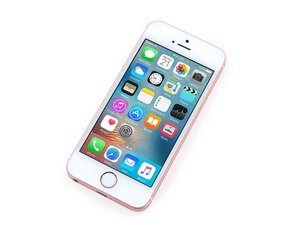
4-inch iPhone released in March 2016 with similar hardware specifications to the 6S. Available in Silver, Space Grey, Gold, or Rose Gold with 16/32/64/128 GB storage options. Model: A1662 and A1723

Screen wont come on

Had a customer bring a phone back after a charging port replacement. Said the volume wasnt working or the home button.

Taken the screen off, put it back on and the screen will now not come on. I have tested the screen on another iPhone SE and works fine. The mute button works as the phone vibrates.

What can this be?

Need help asap please

Yanıtlandı! Cevabı görüntüle Ben de bu sorunu yaşıyorum

Bu iyi bir soru mu?

Puan 0
Yorum Ekle

3 Cevap

Filtre ölçütü:
Seçilen Çözüm

Did you disconnect the battery?

Please do so every time you work on your iphone. Maybe that would do the trick.

As you said the screen works on a other iphone. Does the other screen works on that that one?

Please exclude things. Like backlight working? Try to look hard if you see an image. Connectors are clean?

Bu yanıt yardımcı oldu mu?

Puan 1

3 Yorum:

The lcd is now on but the sides flickering

tarafından

If the display is flickering along all edges, you may still have an issue with the backlight circuit on the motherboard. The flex on the LCD could also be damaged from general wear and tear. If it is the flex, try leaving the screen plugged in and one for an hour. Sometimes this light flickering fades away.

However if the immediate side edge of the display shows a corrupted images, say for the first few columns of pixels, than you are likely using an aftermaket screen designed for the 5s yet not fully compatible with the SE. Many aftermarket 5s screens have this issue, along with difficultly rendering certain text fonts.

tarafından

Just disconnect battery again or just turn brightness of for few minutes

tarafından

Yorum Ekle
En Yararlı Yanıt

Did you disconnect the battery before removing the screen? If not, you may have damaged the backlight circuit on the logic board. Connect the phone to an iTunes enabled computer and shine a bright light on the screen. If you see a dim image, then the backlight circuit is damaged. It could just be the backlight filter but there could be more damage upstream as well.

Bu yanıt yardımcı oldu mu?

Puan 2
Yorum Ekle

It sounds like your phone is on, otherwise the vibrate switch would not be giving you a response.

You need to determine it indeed you have no display at all, or if your phone has display out put, but no backlight. Unplug the battery and plug back in. Clean the screen thoroughly to remove any fingerprints. With the phone held under a very bright light connect a charger to prompt the phone to boot up. If you are able to see a very faint Apple logo than this is a backlight issue, not a display issue.

You will need a microscope to inspect the components near the display connector to see if a filter is blown. It also would be a good idea to look under the screw holes surrounding he lcd connector for long-screw-damage. This would appear as a crescent shaped bright copper scratch on the nearly-black surface of the motherboard.

Bu yanıt yardımcı oldu mu?

Puan 0

2 Yorum:

Now the lcd is on it seems to be shacking or flickering in the sides, how cani resolve this? Asap

tarafından

Nathan, with a flickering iPhone LCD, especially one that is years old, you should first try leaving it on for several minutes or an hour and see if the flickering fades away.

tarafından

Yorum Ekle

Yanıtını ekle

Nathan sonsuza kadar minnettar olacak.
İstatistikleri Görüntüle:

Son 24 Saat: 0

Son 7 gün: 1

Son 30 gün: 15

Her zaman: 189