Ana içeriğe geç
Onarım Topluluğuna Katılın - Hesap Oluşturun

Nintendo Switch Lite Motherboard Replacement

Neye ihtiyacın var

  1. Nintendo Switch Lite Motherboard Replacement, Remove the back panel screws: adım 1, 1 resimden 1.
    Bu adımda kullanılan alet:
    Magnetic Project Mat
    $16.96
    • Before beginning this repair, make sure that the device is completely turned off.

    • Use a Y00 screwdriver to remove the four 6.3 mm-long screws securing the back panel.

    • Throughout this repair, keep track of each screw and make sure it goes back exactly where it came from.

    FixBot'a Sor

    Yorum Ekle

  2. Nintendo Switch Lite Motherboard Replacement, Remove the top and bottom back panel screws: adım 2, 2 resimden 1. Nintendo Switch Lite Motherboard Replacement, Remove the top and bottom back panel screws: adım 2, 2 resimden 2.
    • Use a JIS 000 driver or an iFixit PH 000 driver to remove the following screws securing the back panel:

    • Two 3.6 mm-long screws on the top of the device

    • Two 3.6 mm-long screws on the bottom of the device

    • To prevent these tight screws from stripping, apply firm downward force, work slowly and try a different screwdriver if the screws won't come out.

    FixBot'a Sor

    Yorum Ekle

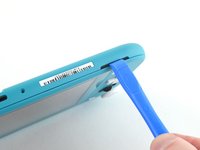
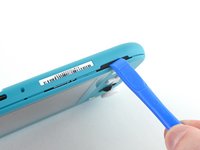
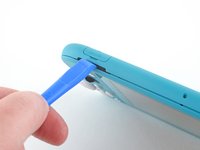
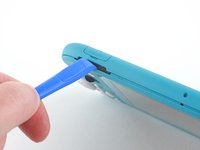
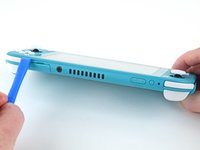
  3. Nintendo Switch Lite Motherboard Replacement, Release the clips securing the back panel: adım 3, 2 resimden 1. Nintendo Switch Lite Motherboard Replacement, Release the clips securing the back panel: adım 3, 2 resimden 2.
    • Insert an opening tool into the left speaker grille on the bottom of the device.

    • Twist the opening tool to release the clips securing the back panel.

    • Avoid inserting the opening tool further than required to prevent damage to the speaker module.

    FixBot'a Sor

    Yorum Ekle

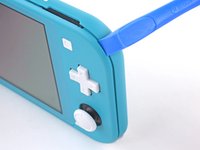
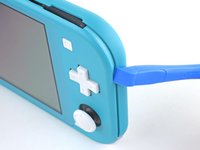
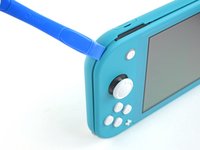
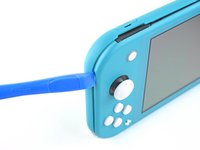
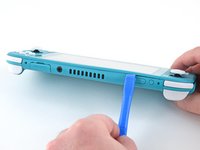
  4. Nintendo Switch Lite Motherboard Replacement, Continue releasing the clips around the device: adım 4, 2 resimden 1. Nintendo Switch Lite Motherboard Replacement, Continue releasing the clips around the device: adım 4, 2 resimden 2.
    • Slide the opening tool around the bottom-left corner to release the clips on the left side of the device.

    FixBot'a Sor

    Yorum Ekle

  5. Nintendo Switch Lite Motherboard Replacement, Twist to release the clips: adım 5, 2 resimden 1. Nintendo Switch Lite Motherboard Replacement, Twist to release the clips: adım 5, 2 resimden 2.
    • Insert an opening tool into the right speaker grille on the bottom of the device.

    • Twist the opening tool to release the clips.

    • Avoid inserting the opening tool further than required to prevent damage to the speaker module.

    FixBot'a Sor

    Yorum Ekle

  6. Nintendo Switch Lite Motherboard Replacement, Slide and pry around the corners: adım 6, 2 resimden 1. Nintendo Switch Lite Motherboard Replacement, Slide and pry around the corners: adım 6, 2 resimden 2.
    • Slide and pry the opening tool around the bottom-right corner to release the clips on the right side of the device.

    FixBot'a Sor

    Yorum Ekle

  7. Nintendo Switch Lite Motherboard Replacement: adım 7, 2 resimden 1. Nintendo Switch Lite Motherboard Replacement: adım 7, 2 resimden 2.
    • Continue sliding and prying the opening tool along the gap on the top of the device to release the clips.

    FixBot'a Sor

    Yorum Ekle

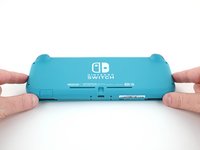
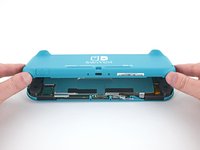
  8. Nintendo Switch Lite Motherboard Replacement, Remove the back panel: adım 8, 3 resimden 1. Nintendo Switch Lite Motherboard Replacement, Remove the back panel: adım 8, 3 resimden 2. Nintendo Switch Lite Motherboard Replacement, Remove the back panel: adım 8, 3 resimden 3.
    • Lift the bottom edge of the back panel, opening it like a book.

    • Remove the back panel.

    FixBot'a Sor

    Yorum Ekle

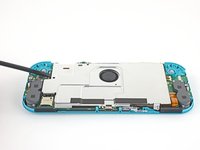
  9. Nintendo Switch Lite Motherboard Replacement, Remove the shield plate: adım 9, 1 resimden 1.
    • Use a JIS 000 driver or an iFixit PH 000 driver to remove the four screws securing the shield plate:

    • Three 3.1 mm screws

    • One 4.5 mm screw

    FixBot'a Sor

    Yorum Ekle

  10. Nintendo Switch Lite Motherboard Replacement: adım 10, 3 resimden 1. Nintendo Switch Lite Motherboard Replacement: adım 10, 3 resimden 2. Nintendo Switch Lite Motherboard Replacement: adım 10, 3 resimden 3.
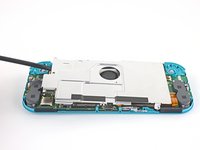
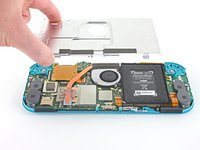
    • Use a spudger or your fingers to lift the shield plate up and out of the device.

    • You may feel a bit of resistance. This is normal, since the shield plate is slightly bonded to the heat sink with thermal paste.

    • Remove the shield plate.

    • Clean off the old thermal paste from the shield plate and heat sink using isopropyl alcohol and a microfiber cloth. Apply new thermal paste to the heat sink before reassembly.

    FixBot'a Sor

    Yorum Ekle

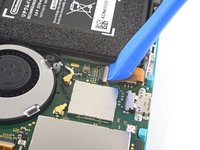
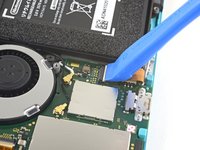
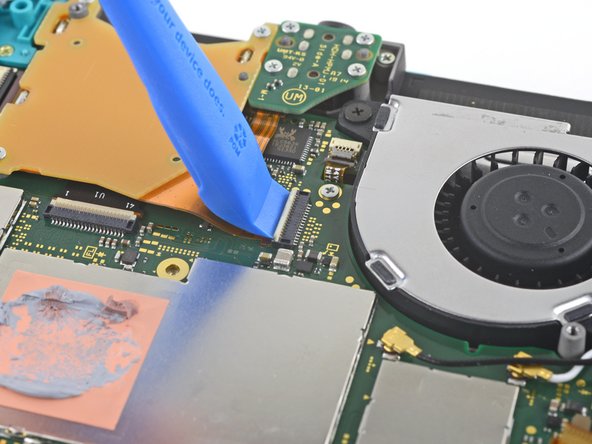
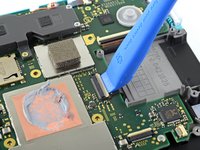
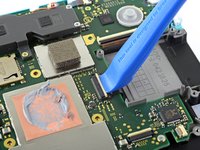
  11. Nintendo Switch Lite Motherboard Replacement, Disconnect the interconnect cable: adım 11, 2 resimden 1. Nintendo Switch Lite Motherboard Replacement, Disconnect the interconnect cable: adım 11, 2 resimden 2.
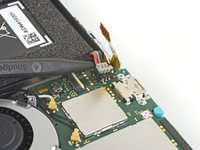
    • Use an opening tool or your fingernail to flip up the small, hinged locking flap on the motherboard interconnect cable's ZIF connector.

    FixBot'a Sor

    Yorum Ekle

  12. Nintendo Switch Lite Motherboard Replacement: adım 12, 2 resimden 1. Nintendo Switch Lite Motherboard Replacement: adım 12, 2 resimden 2.
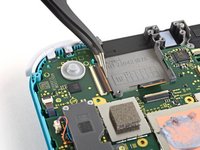
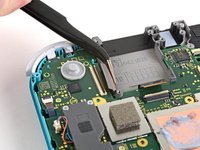
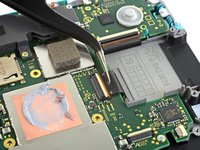
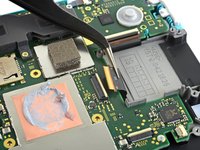
    • Do Not Use Metal Tweezers! Some fixers state that metallic tweezers can short circuit the ribbon cable/connector. It might be safer to just use nylon-tipped or ceramic-tipped tweezers.

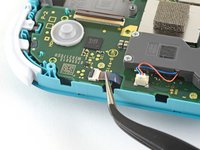
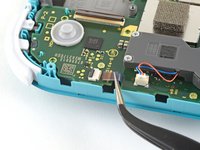
    • Use a pair of tweezers to slide the interconnect cable out of its connector on the motherboard.

    FixBot'a Sor

    Yorum Ekle

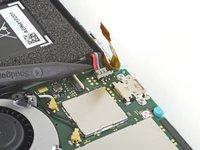
  13. Nintendo Switch Lite Motherboard Replacement, Disconnect the battery: adım 13, 2 resimden 1. Nintendo Switch Lite Motherboard Replacement, Disconnect the battery: adım 13, 2 resimden 2.
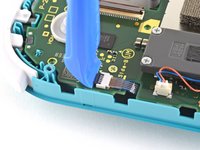
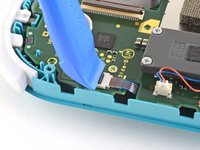
    • Use the point of a spudger to pry the battery connector straight up and out of its socket on the motherboard.

    • During reassembly, wait until after you connect the interconnect cable (above) before connecting the battery.

    FixBot'a Sor

    Yorum Ekle

  14. Nintendo Switch Lite Motherboard Replacement, Remove the heat sink: adım 14, 1 resimden 1.
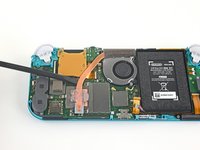
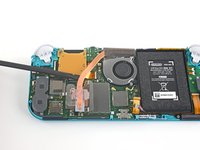
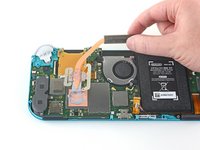
    • Use the flat end of a spudger or your fingers to carefully peel up the foam that's lightly adhered to the fan.

    • The foam only needs to be peeled back enough to clear the fan.

    FixBot'a Sor

    Yorum Ekle

  15. Nintendo Switch Lite Motherboard Replacement: adım 15, 1 resimden 1.
    • Use a JIS 000 driver or an iFixit PH 000 driver to remove the three 3 mm screws securing the heat sink to the motherboard.

    FixBot'a Sor

    Yorum Ekle

  16. Nintendo Switch Lite Motherboard Replacement: adım 16, 3 resimden 1. Nintendo Switch Lite Motherboard Replacement: adım 16, 3 resimden 2. Nintendo Switch Lite Motherboard Replacement: adım 16, 3 resimden 3.
    • Use a spudger or your fingers to lift the heatsink up and off of the motherboard to remove it.

    • You may feel a bit of resistance. This is normal, since the heat sink is slightly bonded to the CPU with thermal paste.

    • Clean off the old thermal paste from the heat sink and CPU using isopropyl alcohol and a microfiber cloth. Apply new thermal paste to the CPU before reassembly.

    FixBot'a Sor

    Yorum Ekle

  17. Nintendo Switch Lite Motherboard Replacement, Remove the game card reader and headphone jack: adım 17, 2 resimden 1. Nintendo Switch Lite Motherboard Replacement, Remove the game card reader and headphone jack: adım 17, 2 resimden 2.
    • Use an opening tool or your fingernail to flip up the small, hinged locking flap on the game card reader cable's ZIF connector.

    FixBot'a Sor

    Yorum Ekle

  18. Nintendo Switch Lite Motherboard Replacement: adım 18, 1 resimden 1.
    • Use a JIS 000 driver or an iFixit PH 000 driver to remove the seven 3.1 mm screws securing the game card reader and headphone jack.

    FixBot'a Sor

    Yorum Ekle

  19. Nintendo Switch Lite Motherboard Replacement: adım 19, 3 resimden 1. Nintendo Switch Lite Motherboard Replacement: adım 19, 3 resimden 2. Nintendo Switch Lite Motherboard Replacement: adım 19, 3 resimden 3.
    Bu adımda kullanılan alet:
    Tweezers
    $4.99
    • Use a pair of tweezers or your fingers to carefully lift the game card reader and maneuver it to the left to slide the cable out of its connector.

    • Remove the game card reader and headphone jack.

    FixBot'a Sor

    Yorum Ekle

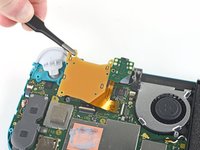
  20. Nintendo Switch Lite Motherboard Replacement, Remove the right trigger button assembly: adım 20, 1 resimden 1.
    • Use a JIS 000 driver or an iFixit PH 000 driver to remove the two 4.5 mm screws securing the right trigger button assembly to the motherboard.

    FixBot'a Sor

    Yorum Ekle

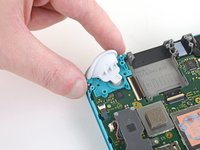
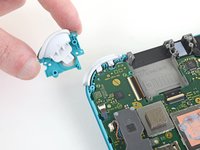
  21. Nintendo Switch Lite Motherboard Replacement: adım 21, 2 resimden 1. Nintendo Switch Lite Motherboard Replacement: adım 21, 2 resimden 2.
    • Remove the right trigger button assembly.

    FixBot'a Sor

    Yorum Ekle

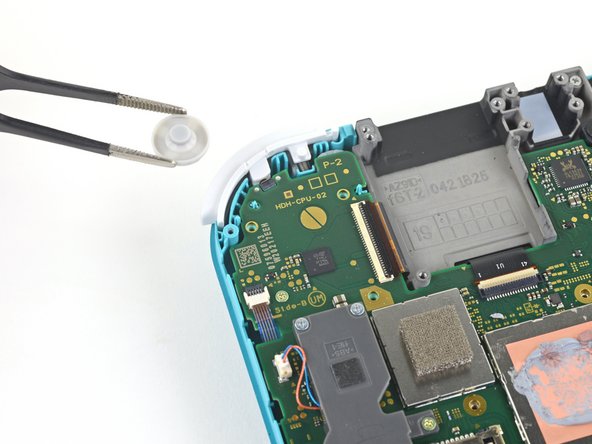
  22. Nintendo Switch Lite Motherboard Replacement: adım 22, 2 resimden 1. Nintendo Switch Lite Motherboard Replacement: adım 22, 2 resimden 2.
    Bu adımda kullanılan alet:
    Tweezers
    $4.99
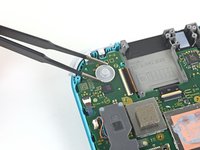
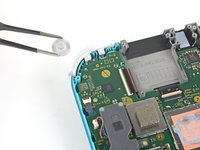
    • Use a pair of tweezers or your fingers to remove the right trigger button assembly's rubber pad if it didn't stay attached to the button assembly.

    FixBot'a Sor

    Yorum Ekle

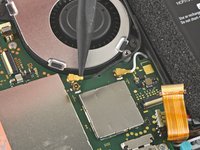
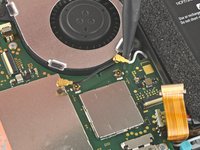
  23. Nintendo Switch Lite Motherboard Replacement, Disconnect the antenna cables: adım 23, 3 resimden 1. Nintendo Switch Lite Motherboard Replacement, Disconnect the antenna cables: adım 23, 3 resimden 2. Nintendo Switch Lite Motherboard Replacement, Disconnect the antenna cables: adım 23, 3 resimden 3.
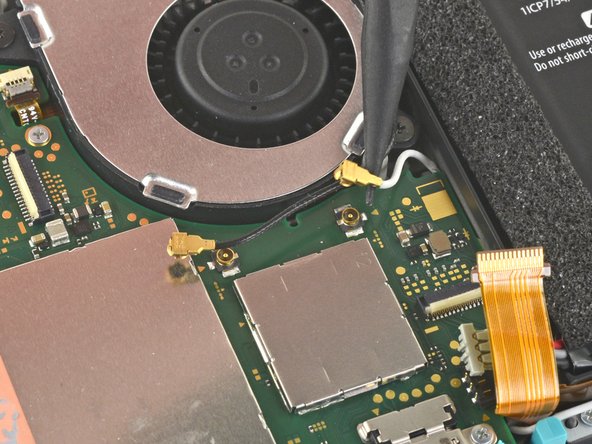
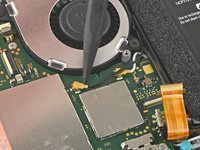
    • Use the point of a spudger to pry the black antenna cable coaxial connector straight up off its socket on the motherboard.

    • Repeat the same process for the white antenna cable.

    FixBot'a Sor

    Yorum Ekle

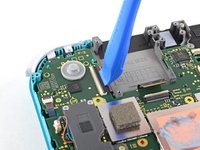
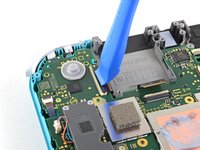
  24. Nintendo Switch Lite Motherboard Replacement, Disconnect the fan cable: adım 24, 1 resimden 1.
    • Use an opening tool or your fingernail to flip up the small, hinged locking flap on the fan cable's ZIF connector.

    FixBot'a Sor

    Yorum Ekle

  25. Nintendo Switch Lite Motherboard Replacement: adım 25, 2 resimden 1. Nintendo Switch Lite Motherboard Replacement: adım 25, 2 resimden 2.
    • Use a pair of tweezers to slide out the fan cable from its connector on the motherboard.

    FixBot'a Sor

    Yorum Ekle

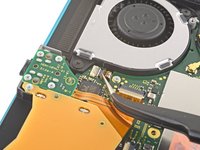
  26. Nintendo Switch Lite Motherboard Replacement, Disconnect the screen cable: adım 26, 2 resimden 1. Nintendo Switch Lite Motherboard Replacement, Disconnect the screen cable: adım 26, 2 resimden 2.
    • Use an opening tool or your fingernail to flip up the small, hinged locking flap on the screen cable's ZIF connector.

    FixBot'a Sor

    Yorum Ekle

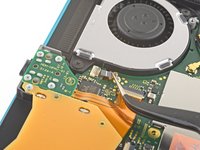
  27. Nintendo Switch Lite Motherboard Replacement: adım 27, 2 resimden 1. Nintendo Switch Lite Motherboard Replacement: adım 27, 2 resimden 2.
    • Use a pair of tweezers to slide the screen cable out of its connector on the motherboard.

    FixBot'a Sor

    Yorum Ekle

  28. Nintendo Switch Lite Motherboard Replacement, Disconnect the digitizer cable: adım 28, 2 resimden 1. Nintendo Switch Lite Motherboard Replacement, Disconnect the digitizer cable: adım 28, 2 resimden 2.
    • Use an opening tool or your fingernail to flip up the small, hinged locking flap on the digitizer cable's ZIF connector.

    FixBot'a Sor

    Yorum Ekle

  29. Nintendo Switch Lite Motherboard Replacement: adım 29, 2 resimden 1. Nintendo Switch Lite Motherboard Replacement: adım 29, 2 resimden 2.
    • Use a pair of tweezers to slide the digitizer cable out of its connector on the motherboard.

    FixBot'a Sor

    Yorum Ekle

  30. Nintendo Switch Lite Motherboard Replacement, Disconnect the right joystick cable: adım 30, 2 resimden 1. Nintendo Switch Lite Motherboard Replacement, Disconnect the right joystick cable: adım 30, 2 resimden 2.
    • Use an opening tool or your fingernail to flip up the small, hinged locking flap on the right joystick cable's ZIF connector.

    FixBot'a Sor

    Yorum Ekle

  31. Nintendo Switch Lite Motherboard Replacement: adım 31, 2 resimden 1. Nintendo Switch Lite Motherboard Replacement: adım 31, 2 resimden 2.
    • Use a pair of tweezers to slide the right joystick cable out of its connector on the motherboard.

    FixBot'a Sor

    Yorum Ekle

  32. Nintendo Switch Lite Motherboard Replacement, Remove the motherboard assembly: adım 32, 1 resimden 1.
    • Use a JIS 000 driver or an iFixit PH 000 driver to remove the following six screws securing the motherboard:

    • Three 3.1 mm screws

    • Three 4.5 mm screws

    FixBot'a Sor

    Yorum Ekle

  33. Nintendo Switch Lite Motherboard Replacement: adım 33, 3 resimden 1. Nintendo Switch Lite Motherboard Replacement: adım 33, 3 resimden 2. Nintendo Switch Lite Motherboard Replacement: adım 33, 3 resimden 3.
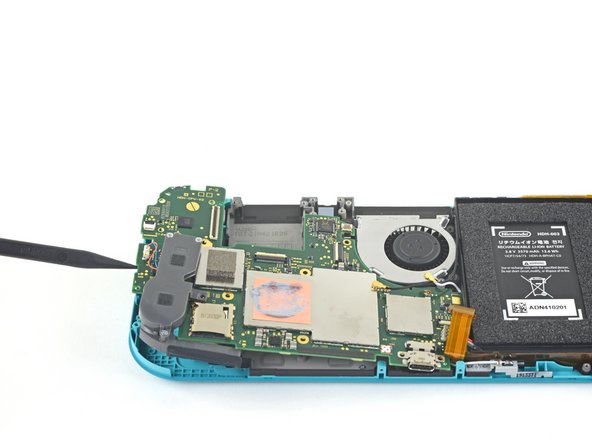
    • Insert a spudger in the gap between the frame and the motherboard and lift the motherboard up and out of its recess.

    • Remove the motherboard assembly.

    FixBot'a Sor

    Yorum Ekle

  34. Nintendo Switch Lite Motherboard Replacement, Remove the right speaker module: adım 34, 2 resimden 1. Nintendo Switch Lite Motherboard Replacement, Remove the right speaker module: adım 34, 2 resimden 2.
    Bu adımda kullanılan alet:
    Tweezers
    $4.99
    • Use a pair of tweezers or your fingers to pull the right speaker cable straight up and out of its socket on the motherboard.

    FixBot'a Sor

    Yorum Ekle

  35. Nintendo Switch Lite Motherboard Replacement: adım 35, 2 resimden 1. Nintendo Switch Lite Motherboard Replacement: adım 35, 2 resimden 2.
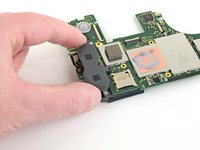
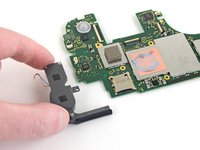
    • Remove the right speaker module from the motherboard.

    FixBot'a Sor

    Yorum Ekle

  36. Nintendo Switch Lite Motherboard Replacement: adım 36, 1 resimden 1.
    • Only the motherboard remains.

    FixBot'a Sor

    Yorum Ekle

Sonuç

To reassemble your device, follow these instructions in reverse order.

Take your e-waste to an R2 or e-Stewards certified recycler.

Repair didn’t go as planned? Try some basic troubleshooting, or ask our Nintendo Switch Lite Answers community for help.

İptal et: Bu kılavuzu tamamlamadım.

29 farklı kişi bu kılavuzu tamamladı.

Craig Lloyd

Üyelik tarihi: 02/10/16

42.824 İtibar

82 adet Kılavuz yazıldı

9Kılavuz Yorumları

Great guide, helped me fix charge port replacement, did notice between 16-17 the card reader magically disappeared, but help me tear down and repair and rebuild with a little bit of head scratching.

Sean Topp - Yanıt Paylaş
La guida è molto chiara.. ma dove si può acquistare una scheda madre di ricambio ?

Walter - Yanıt Paylaş
It stops at motherboard removal, is there a section for replacing the USB charging port on the switch lite?

Christian Knight - Yanıt Paylaş
No, you can not replace the port without soldering it. If you aren't good at soldering I would highly advise looking into costs at local repair shops.

Nova - Yanıt Paylaş
Where can i get the motherboard from, i cant replace the charging port, cause it is soldered to the motherboard. So if you could please let me know onto where i can get the mother board from. 😊

JoyBoy - Yanıt Paylaş

Yorum Ekle

İstatistikleri Görüntüle:

Son 24 Saat: 32

Son 7 gün: 232

Son 30 gün: 1,174

Her zaman: 77,416