Bu çeviri bir makine tarafından oluşturulmuştur ve henüz bir kişi tarafından incelenmemiştir. Bu dili konuşuyor musunuz? İnceleme için.
Giriş
Bu kılavuz, Sony Xperia Sola (model MT27i) cihazındaki bataryanın değiştirilmesi içindir; Sony Xperia Sola veya Xperia sola olarak da adlandırılır.
Telefonunuz artık şarj tutmuyorsa, beklenmedik şekilde kapanıyorsa, pili hızla bitiyorsa, aşırı ısınıyorsa veya şarj cihazına bağlandıktan sonra bile açılmıyorsa bataryayı değiştirmeniz gerekebilir. Bataryayı değiştirmek, normal pil kullanım süresini geri kazandırabilir ve cihazın güvenilirliğini artırabilir.
Bu kılavuzu takip ederek Sony Xperia Sola cihazınızdaki eski bataryayı çıkaracak ve yeni bir değişim pili takacaksınız.
Başlamadan önce telefonu tamamen kapatın ve tüm şarj cihazlarından veya kablolardan ayırın. Lityum iyon bataryalar delinirse, bükülürse, aşırı ısınırsa veya hasar görürse tehlikeli olabilir; bu nedenle bataryaya dikkatli yaklaşın ve batarya veya diğer hassas dahili bileşenlerin yakınında çalışırken metal tamir aleti kullanmaktan kaçının. Eğer batarya şişmiş, sızdırıyor veya normalden fazla sıcaksa, güvenli bir şekilde ele alana kadar onarıma devam etmeyin.
Neye ihtiyacın var
-
-
-
Telefonu ekranı aşağıya, kamera tarafı yukarıya bakacak şekilde gösterildiği gibi yerleştirin.
-
Kapağı kendinizden uzağa doğru itin. Bir çıt veya tık sesi duymalısınız. Bu işlem bataryayı ve sim/sd kart yuvalarını görmenizi sağlayacaktır. Ardından kapağı kaldırarak çıkarın.
 FixBot'a Sor
-
-
-
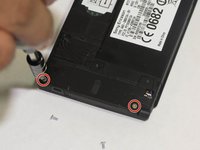
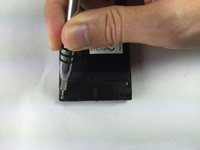
Bir tornavida kullanarak telefon üzerindeki beş (5) vidayı çıkarın. Vidalar, gösterildiği gibi telefonun üst ve alt kısmındadır.
-
-
-
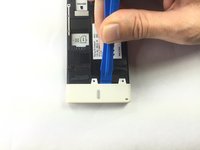
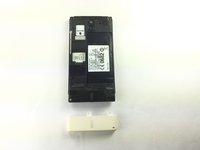
Açma aletini kaldıraç olarak kullanarak alt beyaz kapağı yerinden ayırın.
-
-
-
-
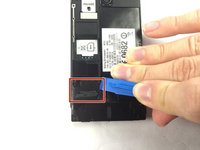
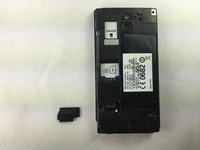
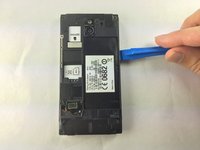
Telefonun sol alt kısmındaki siyah kapağı bulun. Siyah kapağı açma aleti ile dikkatlice ayırın ve çıkarın.
-
-
Bu adımda kullanılan alet:Tweezers$4.99
-
cımbız kullanarak, görselde gösterildiği gibi konnektörü dümdüz yukarı kaldırarak devrenin bağlantısını kesin.
-
-
-
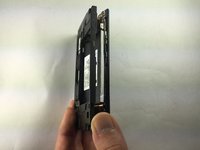
Telefonu yan tarafının üzerine çevirin. Bir açma aletini dikiş yerine sokun ve kapağı nazikçe çıkarın. Ayrıca plastik kanırtma aparatını üstten kaydırarak içeri sokabilirsiniz.
-
Kapak gevşediğinde, telefondan kaldırarak ayırın. Yan tuşlar biraz yapışkan hissedilebilir ancak bu normaldir.
-
-
-
Sol alttaki ek devreyi bulun. Cımbız kullanarak, yukarı doğru çekip nazikçe çıkarın.
-
-
-
Plastik kanırtma aparatını kartın sol üst kısmının altına yerleştirip kaydırın ve ardından kartı doğrudan yukarı doğru kaldırın. Kart kolaylıkla yerinden çıkacaktır.
-
-
-
-
-
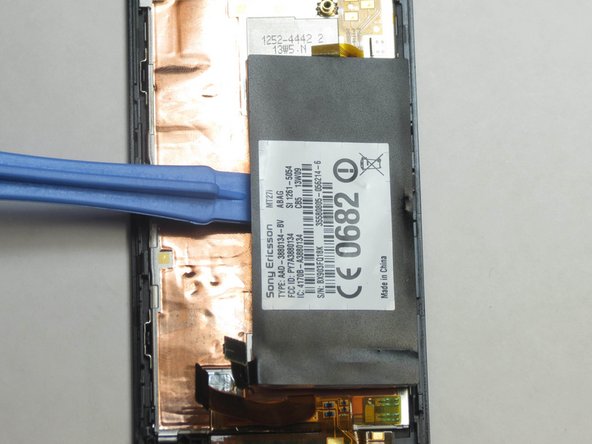
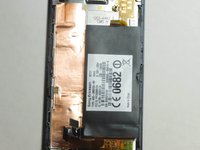
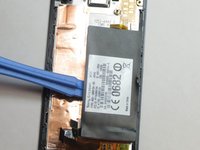
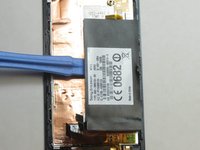
Bataryayı çıkarmak için bir açma aletinin ucunu bataryanın altına kaydırın ve kaldırın.
-
-








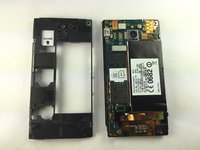


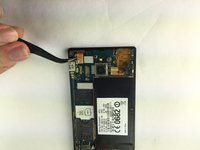


Cihazınızı tekrar toplamak için bu talimatları tersten uygulayın. Elektronik atıklarınızı bir R2 veya e-Stewards sertifikalı geri dönüşüm merkezine götürün. En iyi performans için, bu kılavuzu tamamladıktan sonra yeni taktığınız bataryayı kalibre edin.
İptal et: Bu kılavuzu tamamlamadım.
3 farklı kişi bu kılavuzu tamamladı.

Ekip

USF Tampa, Team 1-1, Brown Fall 2014 USF Tampa, Team 1-1, Brown Fall 2014 üyesi
USFT-BROWN-F14S1G1
4 Üyeler
60 adet Kılavuz yazıldı
