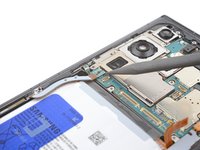
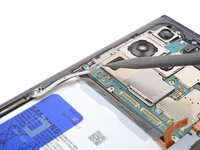
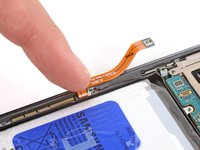
Ana içeriğe geç
Onarım Topluluğuna Katılın - Hesap Oluşturun

Galaxy S23 Ultra Battery Replacement

Neye ihtiyacın var

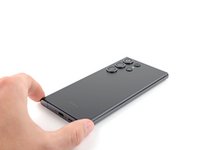
  1. Galaxy S23 Ultra Battery Replacement, Safety precautions: adım 1, 1 resimden 1.
    • Let your phone's battery drain below 25% before starting this repair. A charged lithium‑ion battery may catch fire if damaged.

    • Unplug all cables from your phone and completely power it down.

  2. Galaxy S23 Ultra Battery Replacement, Heat the right edge: adım 2, 1 resimden 1.
    • Heat an iOpener and apply it to the right edge of the back cover for two minutes.

    • A hair dryer, heat gun, or hot plate may also be used, but be careful not to overheat the phone—the display and internal battery are susceptible to heat damage.

  3. Galaxy S23 Ultra Battery Replacement, Adhesive information: adım 3, 2 resimden 1. Galaxy S23 Ultra Battery Replacement, Adhesive information: adım 3, 2 resimden 2.
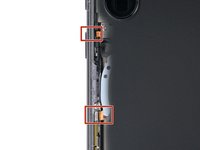
    • While you wait for the adhesive to soften, note the following:

    • There's adhesive securing the back cover around the perimeter of the frame.

    • The adhesive is strongest in the bottom right and top left corners.

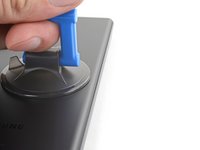
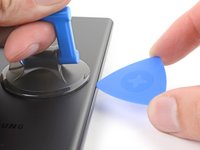
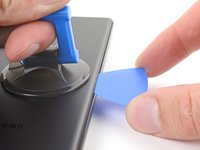
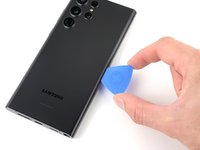
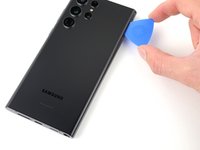
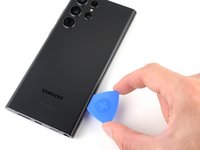
  4. Galaxy S23 Ultra Battery Replacement, Insert an opening pick: adım 4, 3 resimden 1. Galaxy S23 Ultra Battery Replacement, Insert an opening pick: adım 4, 3 resimden 2. Galaxy S23 Ultra Battery Replacement, Insert an opening pick: adım 4, 3 resimden 3.
    • Apply a suction handle to the back cover, as close to the center of the right edge as possible.

    • Pull up on the suction handle with strong, steady force to create a gap between the cover and the frame.

    • If you have trouble creating a gap, apply more heat to further soften the adhesive. Follow the iOpener instructions to avoid overheating.

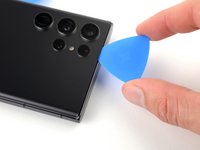
    • Insert an opening pick into the gap.

  5. Galaxy S23 Ultra Battery Replacement, Separate the right adhesive: adım 5, 3 resimden 1. Galaxy S23 Ultra Battery Replacement, Separate the right adhesive: adım 5, 3 resimden 2. Galaxy S23 Ultra Battery Replacement, Separate the right adhesive: adım 5, 3 resimden 3.
    • Slide the pick back and forth along the right edge to separate the adhesive.

    • Leave the pick inserted near the bottom right corner to prevent the adhesive from resealing.

  6. Galaxy S23 Ultra Battery Replacement, Heat the bottom edge: adım 6, 1 resimden 1.
    • Apply a heated iOpener to the bottom edge of the back cover for two minutes.

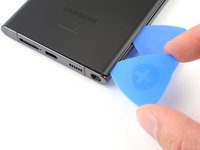
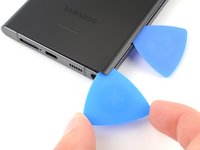
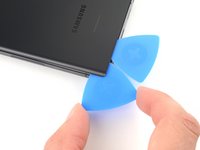
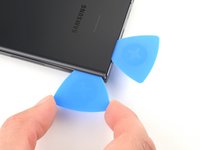
  7. Galaxy S23 Ultra Battery Replacement, Separate the corner adhesive: adım 7, 3 resimden 1. Galaxy S23 Ultra Battery Replacement, Separate the corner adhesive: adım 7, 3 resimden 2. Galaxy S23 Ultra Battery Replacement, Separate the corner adhesive: adım 7, 3 resimden 3.
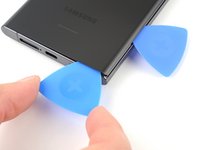
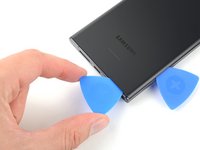
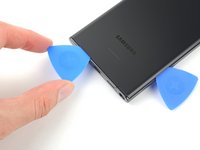
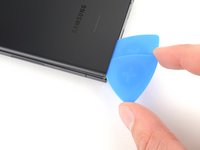
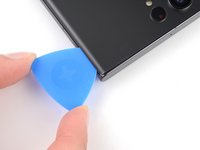
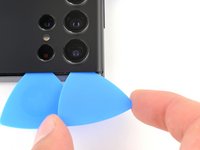
    • Insert a second opening pick at the bottom right corner.

    • Angle the pick upward to match the curved edge and rotate it around the bottom right corner.

    • Be careful while working around the corners, as the glass is very fragile here. Work slowly to avoid cracking the glass.

  8. Galaxy S23 Ultra Battery Replacement, Separate the bottom adhesive: adım 8, 2 resimden 1. Galaxy S23 Ultra Battery Replacement, Separate the bottom adhesive: adım 8, 2 resimden 2.
    • Slide your opening pick to the bottom left corner to separate the adhesive.

    • Leave the pick in the bottom left corner to prevent the adhesive from resealing.

  9. Galaxy S23 Ultra Battery Replacement, Heat the left edge: adım 9, 1 resimden 1.
    • Apply a heated iOpener to the left edge of the back cover for two minutes.

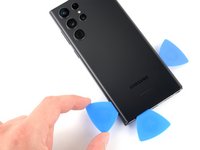
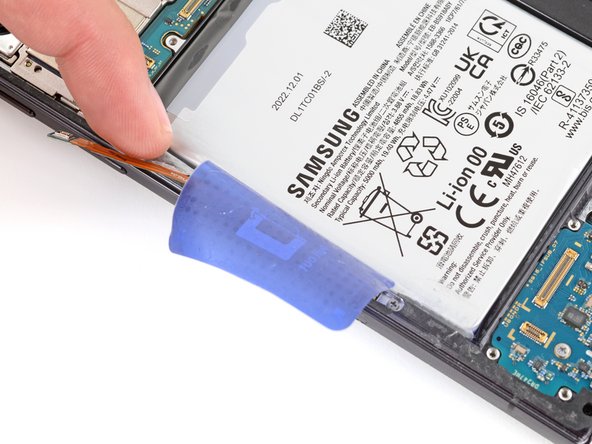
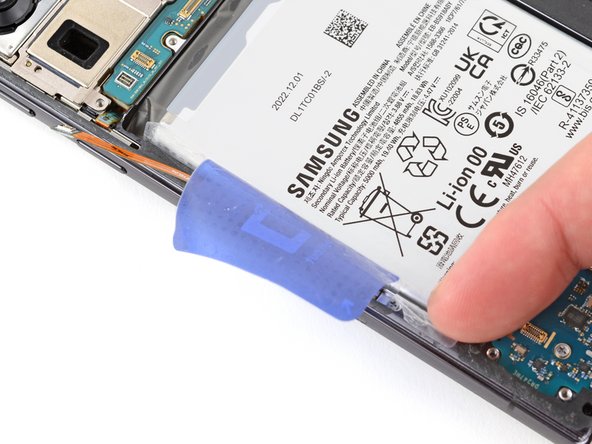
  10. Galaxy S23 Ultra Battery Replacement, Separate the corner adhesive: adım 10, 3 resimden 1. Galaxy S23 Ultra Battery Replacement, Separate the corner adhesive: adım 10, 3 resimden 2. Galaxy S23 Ultra Battery Replacement, Separate the corner adhesive: adım 10, 3 resimden 3.
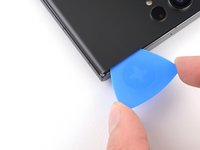
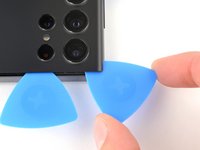
    • Insert a third opening pick at the bottom left corner.

    • Angle the pick upward to match the curved edge and rotate it around the bottom left corner.

    • Be careful while working around the corners, as the glass is very fragile here. Work slowly to avoid cracking the glass.

  11. Galaxy S23 Ultra Battery Replacement, Separate the left adhesive: adım 11, 3 resimden 1. Galaxy S23 Ultra Battery Replacement, Separate the left adhesive: adım 11, 3 resimden 2. Galaxy S23 Ultra Battery Replacement, Separate the left adhesive: adım 11, 3 resimden 3.
    • Slide your opening pick along the left edge to separate the adhesive, stopping when you reach the power button.

    • Only insert the pick up to 5 mm, as you may damage the antenna flex cable or the power button cable.

    • Leave the pick in the left edge to prevent the adhesive from resealing.

  12. Galaxy S23 Ultra Battery Replacement, Heat the top edge: adım 12, 1 resimden 1.
    • Heat an iOpener and apply it to the top edge of the back cover for two minutes.

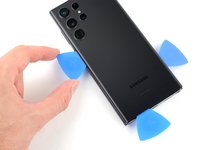
  13. Galaxy S23 Ultra Battery Replacement, Separate the corner adhesive: adım 13, 3 resimden 1. Galaxy S23 Ultra Battery Replacement, Separate the corner adhesive: adım 13, 3 resimden 2. Galaxy S23 Ultra Battery Replacement, Separate the corner adhesive: adım 13, 3 resimden 3.
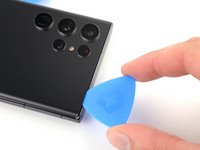
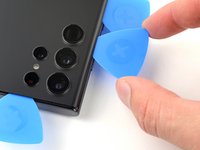
    • Insert an opening pick in the gap at the top right edge.

    • Angle the pick upward to match the curved edge and rotate it around the top right corner.

    • Be careful while working around the corners, as the glass is very fragile here. Work slowly to avoid cracking the glass.

  14. Galaxy S23 Ultra Battery Replacement, Separate the top adhesive: adım 14, 2 resimden 1. Galaxy S23 Ultra Battery Replacement, Separate the top adhesive: adım 14, 2 resimden 2.
    • Slide the pick to the top left corner to separate the adhesive.

    • Only insert the pick up to 4 mm, as you may damage the cameras or sensors.

    • Leave the pick in to prevent the adhesive from resealing.

  15. Galaxy S23 Ultra Battery Replacement, Separate the corner adhesive: adım 15, 2 resimden 1. Galaxy S23 Ultra Battery Replacement, Separate the corner adhesive: adım 15, 2 resimden 2.
    • Insert an opening pick in the gap at the top left edge.

    • Only insert the pick up to 4 mm, as you may damage the cameras.

    • Angle the pick upward to match the curved edge and rotate it around the top left corner.

  16. Galaxy S23 Ultra Battery Replacement, Separate the remaining adhesive: adım 16, 2 resimden 1. Galaxy S23 Ultra Battery Replacement, Separate the remaining adhesive: adım 16, 2 resimden 2.
    • Slide the pick toward the bottom camera to separate through the remaining adhesive, stopping before you reach the power button.

    • Only insert the pick up to 4 mm, as you may damage the cameras.

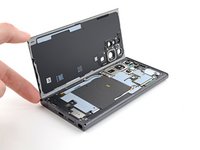
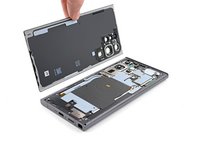
  17. Galaxy S23 Ultra Battery Replacement, Remove the back cover: adım 17, 3 resimden 1. Galaxy S23 Ultra Battery Replacement, Remove the back cover: adım 17, 3 resimden 2. Galaxy S23 Ultra Battery Replacement, Remove the back cover: adım 17, 3 resimden 3.
    • Grab and remove the back cover.

    • If your cover is still sticking to the frame, slide an opening pick around the perimeter until the cover completely separates.

    • During reassembly:

    • This is a good point to power on your phone and test all functions before sealing it up. Be sure to power your phone back down completely before you continue working.

    • Remove any adhesive chunks with a pair of tweezers or your fingers. Apply heat if you're having trouble separating the adhesive.

    • If you're using custom-cut adhesives, follow this guide.

    • If you're using double-sided tape, follow this guide.

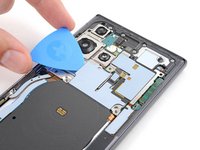
  18. Galaxy S23 Ultra Battery Replacement, Disconnect the NFC antenna and charging coil: adım 18, 3 resimden 1. Galaxy S23 Ultra Battery Replacement, Disconnect the NFC antenna and charging coil: adım 18, 3 resimden 2. Galaxy S23 Ultra Battery Replacement, Disconnect the NFC antenna and charging coil: adım 18, 3 resimden 3.
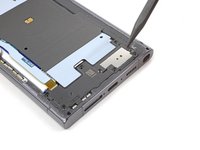
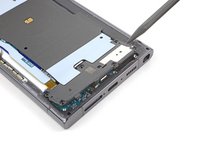
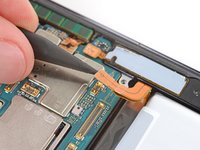
    • Use the pointed end of a spudger to pry up and disconnect the NFC antenna press connector from the motherboard.

    • Repeat for the wireless charging coil press connector.

    • To re-attach press connectors, carefully align and press down on one side until it clicks into place, then repeat on the other side. Don't press down on the middle. If the connector is misaligned, the pins can bend and cause permanent damage.

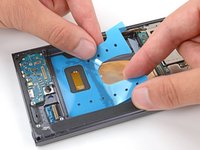
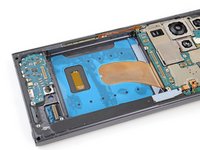
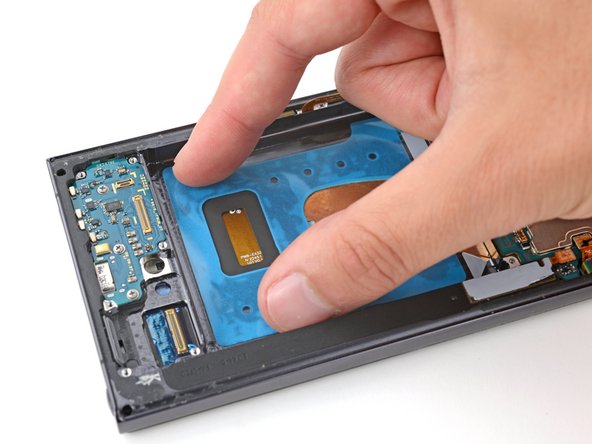
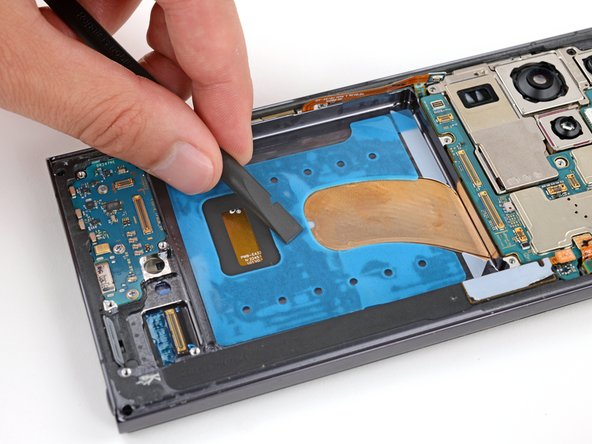
  19. Galaxy S23 Ultra Battery Replacement, Separate the coil adhesive: adım 19, 3 resimden 1. Galaxy S23 Ultra Battery Replacement, Separate the coil adhesive: adım 19, 3 resimden 2. Galaxy S23 Ultra Battery Replacement, Separate the coil adhesive: adım 19, 3 resimden 3.
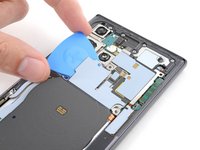
    • The wireless charging coil is lightly adhered to the battery.

    • Insert an opening pick between the right edge of the wireless charging coil and the battery.

    • Slide the pick along the right edge to separate the adhesive.

  20. Galaxy S23 Ultra Battery Replacement: adım 20, 2 resimden 1. Galaxy S23 Ultra Battery Replacement: adım 20, 2 resimden 2.
    • Insert an opening pick between the top edge of the wireless charging coil and the frame.

    • Slide the pick toward the right edge to separate the remaining adhesive.

  21. Galaxy S23 Ultra Battery Replacement, Unfasten the NFC antenna and charging coil: adım 21, 1 resimden 1.
    • Use a Phillips screwdriver to remove the five 3.5 mm-long screws securing the NFC antenna and charging coil.

  22. Galaxy S23 Ultra Battery Replacement, Unfasten the loudspeaker: adım 22, 1 resimden 1.
    • Use a Phillips screwdriver to remove the six 3.5 mm screws securing the loudspeaker.

  23. Galaxy S23 Ultra Battery Replacement, Unclip the loudspeaker: adım 23, 2 resimden 1. Galaxy S23 Ultra Battery Replacement, Unclip the loudspeaker: adım 23, 2 resimden 2.
    • Insert the pointed end of your spudger between the upper right corner of the loudspeaker and the frame.

    • Pry up to unclip the loudspeaker from the frame.

    • Don't pry against the battery. Use protrusions in the frame for leverage.

    • During reassembly, press around the perimeter of the loudspeaker to clip it to the frame.

  24. Galaxy S23 Ultra Battery Replacement, Remove the charging coil and loudspeaker assembly: adım 24, 3 resimden 1. Galaxy S23 Ultra Battery Replacement, Remove the charging coil and loudspeaker assembly: adım 24, 3 resimden 2. Galaxy S23 Ultra Battery Replacement, Remove the charging coil and loudspeaker assembly: adım 24, 3 resimden 3.
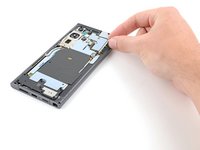
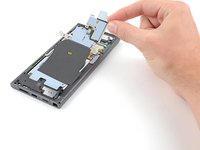
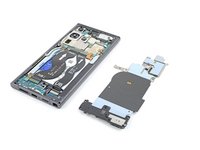
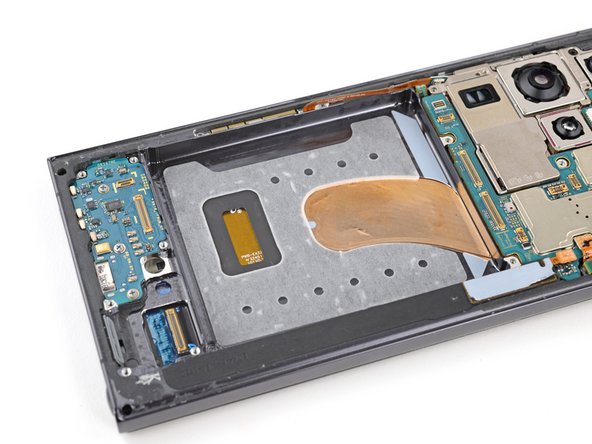
    • Grab and remove the NFC, wireless charging coil, and loudspeaker from the frame.

  25. Galaxy S23 Ultra Battery Replacement, Disconnect the battery: adım 25, 2 resimden 1. Galaxy S23 Ultra Battery Replacement, Disconnect the battery: adım 25, 2 resimden 2.
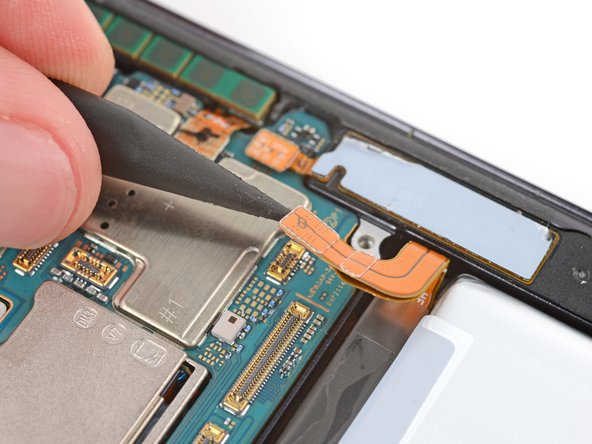
    • Use your spudger to pry up and disconnect the battery press connector.

  26. Galaxy S23 Ultra Battery Replacement, Disconnect the interconnect cables: adım 26, 3 resimden 1. Galaxy S23 Ultra Battery Replacement, Disconnect the interconnect cables: adım 26, 3 resimden 2. Galaxy S23 Ultra Battery Replacement, Disconnect the interconnect cables: adım 26, 3 resimden 3.
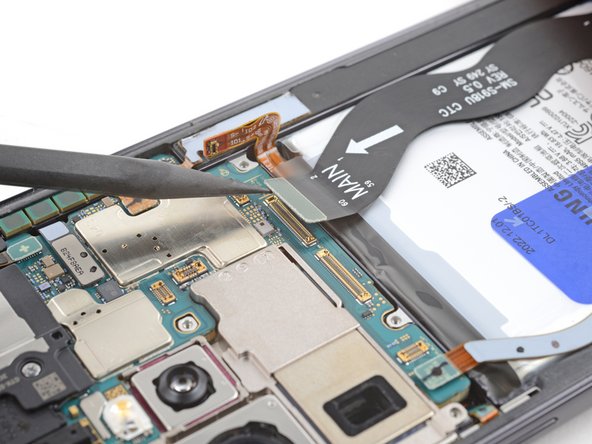
    • Use your spudger to pry up and disconnect the secondary interconnect cable press connector from the motherboard.

    • Repeat for the primary interconnect cable.

  27. Galaxy S23 Ultra Battery Replacement: adım 27, 3 resimden 1. Galaxy S23 Ultra Battery Replacement: adım 27, 3 resimden 2. Galaxy S23 Ultra Battery Replacement: adım 27, 3 resimden 3.
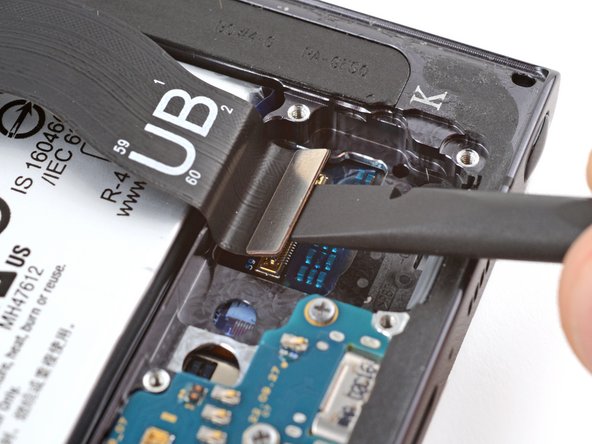
    • Use your spudger to pry up and disconnect the secondary interconnect cable press connector from the charging board.

    • Repeat for the primary interconnect cable.

  28. Galaxy S23 Ultra Battery Replacement, Remove the interconnect cables: adım 28, 2 resimden 1. Galaxy S23 Ultra Battery Replacement, Remove the interconnect cables: adım 28, 2 resimden 2.
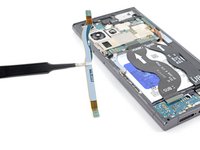
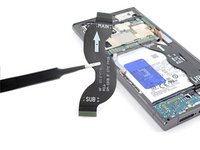
    • Grab and remove the interconnect cables from the frame.

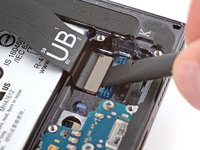
  29. Galaxy S23 Ultra Battery Replacement, Disconnect the screen cable: adım 29, 2 resimden 1. Galaxy S23 Ultra Battery Replacement, Disconnect the screen cable: adım 29, 2 resimden 2.
    • Use the point of your spudger to pry up and disconnect the screen press connector from the motherboard.

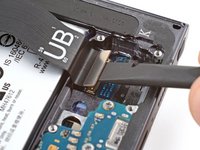
  30. Galaxy S23 Ultra Battery Replacement: adım 30, 2 resimden 1. Galaxy S23 Ultra Battery Replacement: adım 30, 2 resimden 2.
    • Use the flat end of your spudger to pry up and disconnect the screen press connector near the bottom of the phone.

  31. Galaxy S23 Ultra Battery Replacement, Remove the screen cable: adım 31, 1 resimden 1.
    • Grab and remove the screen cable from the frame.

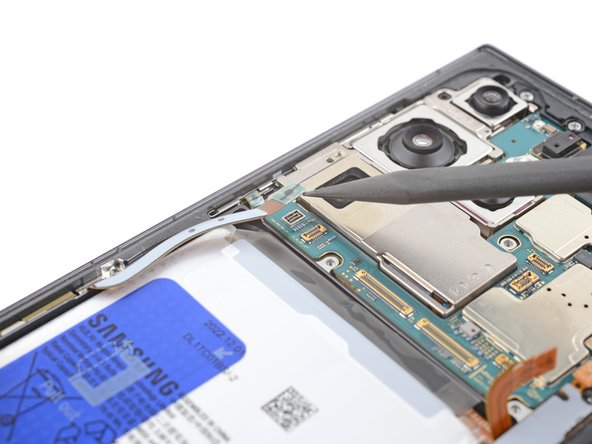
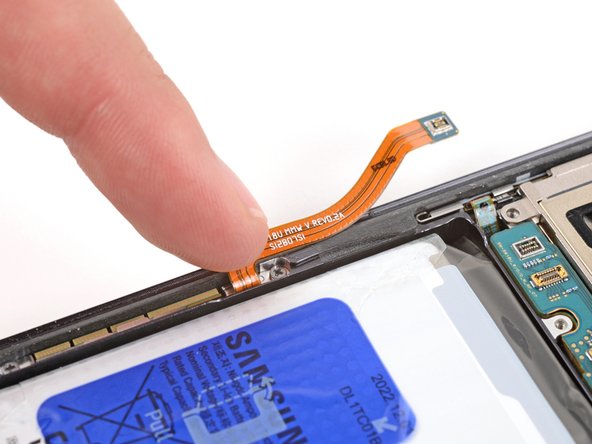
  32. Galaxy S23 Ultra Battery Replacement, Reposition the 5G mmWave antenna cable: adım 32, 3 resimden 1. Galaxy S23 Ultra Battery Replacement, Reposition the 5G mmWave antenna cable: adım 32, 3 resimden 2. Galaxy S23 Ultra Battery Replacement, Reposition the 5G mmWave antenna cable: adım 32, 3 resimden 3.
    • Use the point of your spudger to pry up and disconnect the left 5G mmWave antenna press connector.

    • Use your finger to push the antenna cable away from the battery.

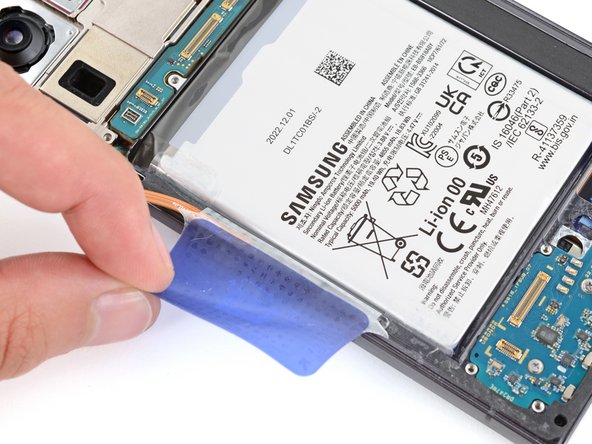
  33. Galaxy S23 Ultra Battery Replacement, Separate the battery pull tab: adım 33, 3 resimden 1. Galaxy S23 Ultra Battery Replacement, Separate the battery pull tab: adım 33, 3 resimden 2. Galaxy S23 Ultra Battery Replacement, Separate the battery pull tab: adım 33, 3 resimden 3.
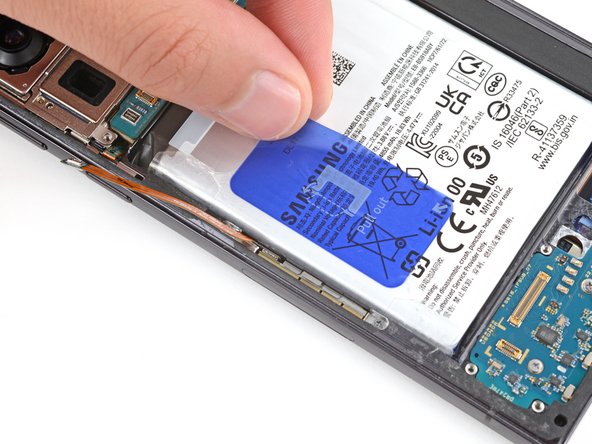
    • Be very careful not to bend, crease, or puncture the battery during the next few steps. A damaged battery can leak dangerous chemicals and catch fire.

    • Use your fingers to carefully peel the large blue battery pull tab from the left side of the battery.

  34. Galaxy S23 Ultra Battery Replacement: adım 34, 3 resimden 1. Galaxy S23 Ultra Battery Replacement: adım 34, 3 resimden 2. Galaxy S23 Ultra Battery Replacement: adım 34, 3 resimden 3.
    • Use your fingers to peel the two small tabs from the top and bottom corners of the battery's left edge.

    • If these tabs aren't fully separated, you won't be able to lift the battery in the next step.

  35. Galaxy S23 Ultra Battery Replacement, Separate the battery adhesive: adım 35, 3 resimden 1. Galaxy S23 Ultra Battery Replacement, Separate the battery adhesive: adım 35, 3 resimden 2. Galaxy S23 Ultra Battery Replacement, Separate the battery adhesive: adım 35, 3 resimden 3.
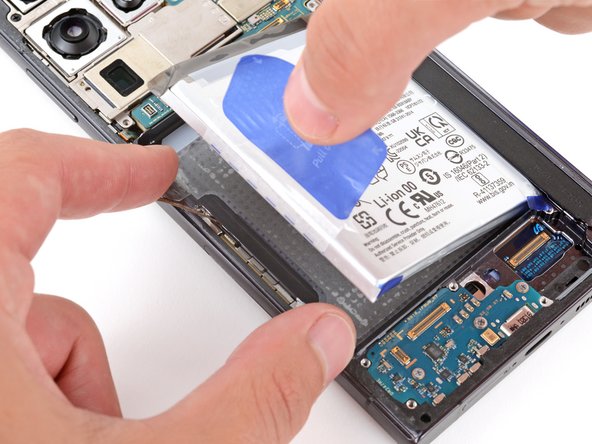
    • With one hand, fold the two upper and lower tabs out of the way of the battery and firmly hold them down against the frame.

    • If you're having trouble with the tabs, you can fold them under the phone and tape them to the screen.

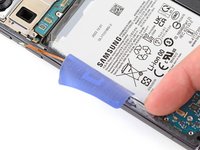
    • With your free hand, grip the blue center pull tab and pull straight up with firm, steady force to fully separate the battery adhesive.

    • The adhesive might not separate immediately. Keep pulling with consistent force until the battery comes free from the frame.

    • If you're having trouble, apply 1-2 drops of high-concentration (>90%) isopropyl alcohol to the left edge of the battery. Lift the left edge of your phone and wait one minute for the alcohol to soften the adhesive.

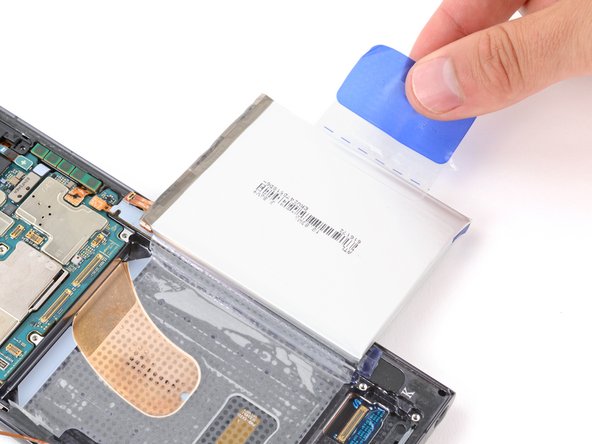
    • Lay the battery over the right edge of your phone.

  36. Galaxy S23 Ultra Battery Replacement, Separate the battery sleeve: adım 36, 3 resimden 1. Galaxy S23 Ultra Battery Replacement, Separate the battery sleeve: adım 36, 3 resimden 2. Galaxy S23 Ultra Battery Replacement, Separate the battery sleeve: adım 36, 3 resimden 3.
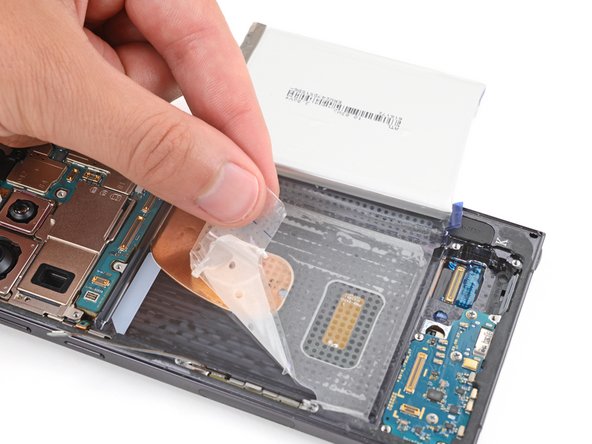
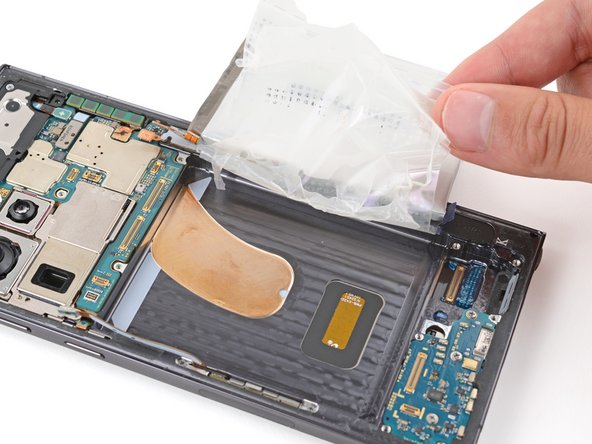
    • Use your fingers to peel the battery's plastic film from the frame.

  37. Galaxy S23 Ultra Battery Replacement, Remove the battery: adım 37, 1 resimden 1.
    • Remove the battery and its film.

  38. Galaxy S23 Ultra Battery Replacement, Remove any old battery adhesive: adım 38, 1 resimden 1.
    • If there's any battery adhesive on the frame, use tweezers or your fingers to remove it.

    • If you used isopropyl alcohol, wait ten minutes before installing the new battery to allow the alcohol to completely evaporate.

  39. Galaxy S23 Ultra Battery Replacement, Apply replacement battery adhesive: adım 39, 2 resimden 1. Galaxy S23 Ultra Battery Replacement, Apply replacement battery adhesive: adım 39, 2 resimden 2.
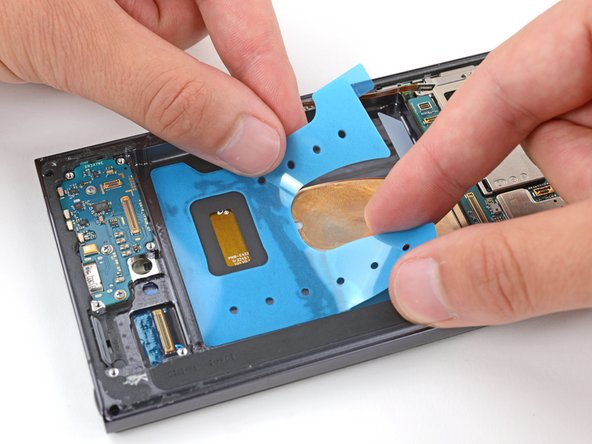
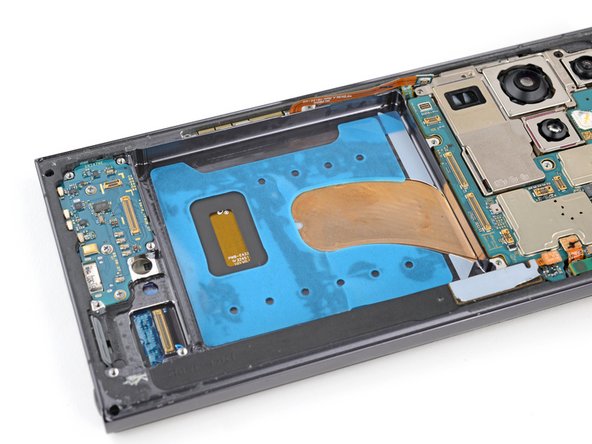
    • Before applying the new adhesive, it's helpful to see how it will be oriented in the battery recess.

    • Orient the replacement adhesive so the clear liner is on the bottom and test-fit it into the battery recess.

  40. Galaxy S23 Ultra Battery Replacement: adım 40, 3 resimden 1. Galaxy S23 Ultra Battery Replacement: adım 40, 3 resimden 2. Galaxy S23 Ultra Battery Replacement: adım 40, 3 resimden 3.
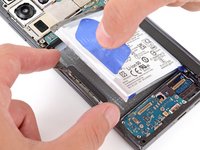
    • Remove the large clear liner to expose the battery adhesive.

    • Carefully place the adhesive into the battery recess.

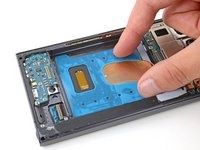
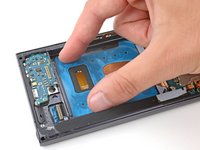
  41. Galaxy S23 Ultra Battery Replacement: adım 41, 3 resimden 1. Galaxy S23 Ultra Battery Replacement: adım 41, 3 resimden 2. Galaxy S23 Ultra Battery Replacement: adım 41, 3 resimden 3.
    • Firmly press the adhesive into place with your fingers.

    • Use the flat end of a spudger to firmly press down on the entire surface of the adhesive to secure it to the frame.

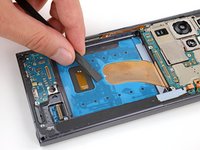
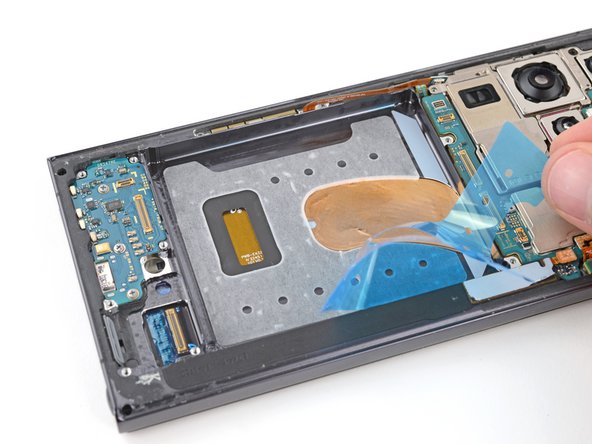
  42. Galaxy S23 Ultra Battery Replacement: adım 42, 3 resimden 1. Galaxy S23 Ultra Battery Replacement: adım 42, 3 resimden 2. Galaxy S23 Ultra Battery Replacement: adım 42, 3 resimden 3.
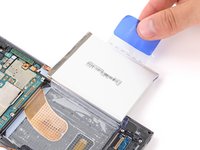
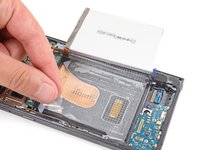
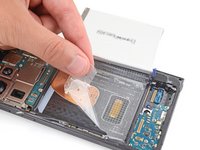
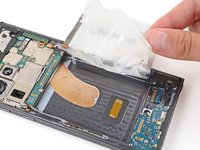
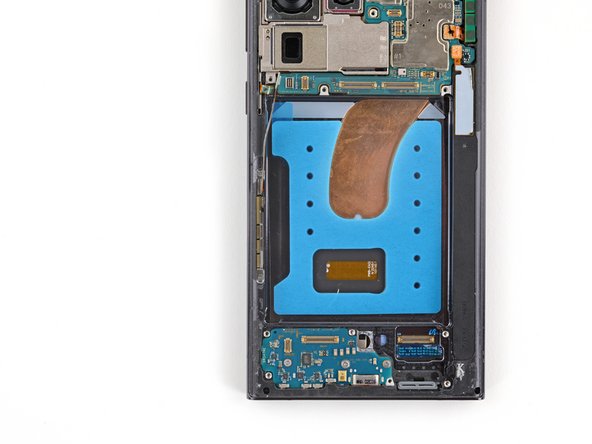
    • Use the pull tab on the top left corner to peel up and remove the remaining blue liner.

  43. Galaxy S23 Ultra Battery Replacement, Adhere the battery: adım 43, 3 resimden 1. Galaxy S23 Ultra Battery Replacement, Adhere the battery: adım 43, 3 resimden 2. Galaxy S23 Ultra Battery Replacement, Adhere the battery: adım 43, 3 resimden 3.
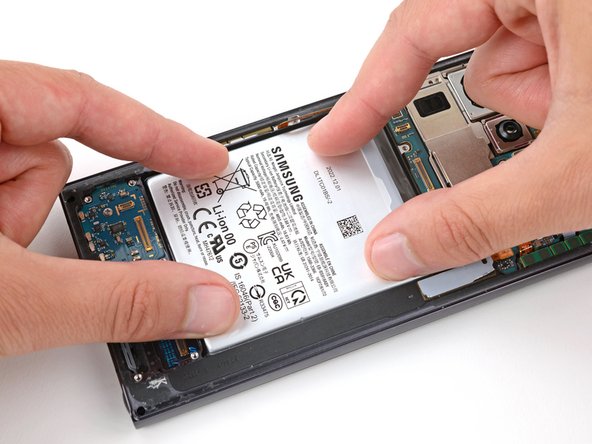
    • Hold the battery above its recess and reconnect the press connector—this ensures proper fit and alignment.

    • Firmly press the battery into its recess to secure it with the adhesive.

    • Disconnect the battery before continuing.

Sonuç

To reassemble your device, follow these instructions in reverse order, starting with this step.

For optimal performance, calibrate your newly installed battery after reassembling your phone.

Take your e-waste to an R2 or e-Stewards certified recycler.

Repair didn’t go as planned? Try some basic troubleshooting, or ask our Answers community for help.

28 farklı kişi bu kılavuzu tamamladı.

Spencer Day

Üyelik tarihi: 09/14/22

183.868 İtibar

1.166 adet Kılavuz yazıldı

Ekip

iFixit iFixit üyesi

Staff

123 Üyeler

25.564 adet Kılavuz yazıldı

3Kılavuz Yorumları

Perfecto todo, desde el envio, las herramientas y el paso a paso, muchas gracias y les deseo prosperidad!

Christian T - Yanıt Paylaş

So I replaced the battery and I noticed that it's capacity is slightly larger than the original. Now the back cover won't close entirely in the battery area on both sides. Not sure if I did something wrong. It's like the adhesive is not holding the cover in place.

Yurii Ivanov - Yanıt Paylaş

Followed this to replace my wife's battery. Repair went great. This guide was quite good and made the process easy and worry free. Thanks a lot.

Dylan Townsend - Yanıt Paylaş

Yorum Ekle

İstatistikleri Görüntüle:

Son 24 Saat: 154

Son 7 gün: 921

Son 30 gün: 3,917

Her zaman: 52,081