Ana içeriğe geç

How To Replace Merangue 2-Line Engineering Scientific Calculator Battery

Neye ihtiyacın var

  1. How To Replace Merangue 2-Line Engineering Scientific Calculator Battery, Calculator Battery: adım 1, 1 resimden 1.
    • Turn the calculator off by holding down the [Shift] button.

    • Then, press the [AC][OFF] button.

    • Always turn your calculator off before removing the battery to prevent potential malfunction.

  2. How To Replace Merangue 2-Line Engineering Scientific Calculator Battery: adım 2, 2 resimden 1. How To Replace Merangue 2-Line Engineering Scientific Calculator Battery: adım 2, 2 resimden 2.
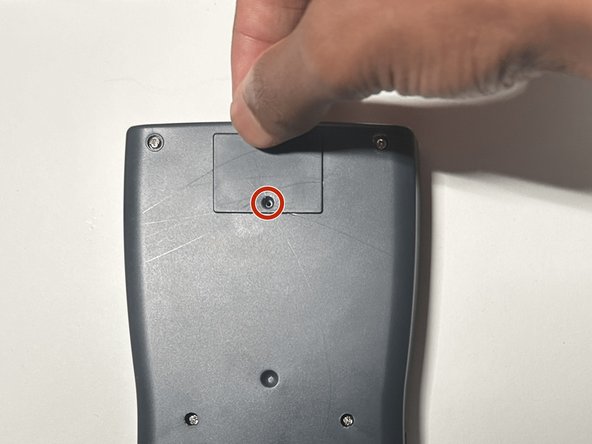
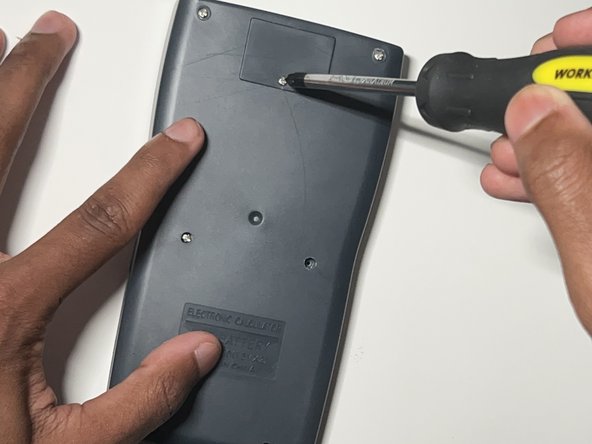
    • Flip the calculator so that the back case is facing you.

    • Use a Phillips #0 screwdriver to remove the single screw from the battery cover at the top of the back case.

    • Keep the screw in a safe place to use when replacing the battery cover later.

    • If the screw does not unfasten easily, do not force it to avoid stripping the screw. If the screw is already stripped refer to the How to Remove a Stripped Screw guide.

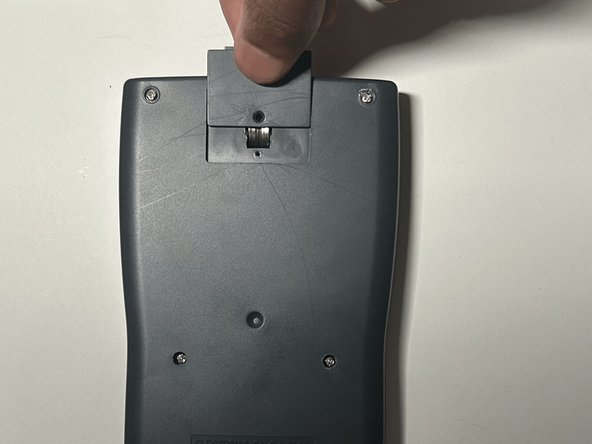
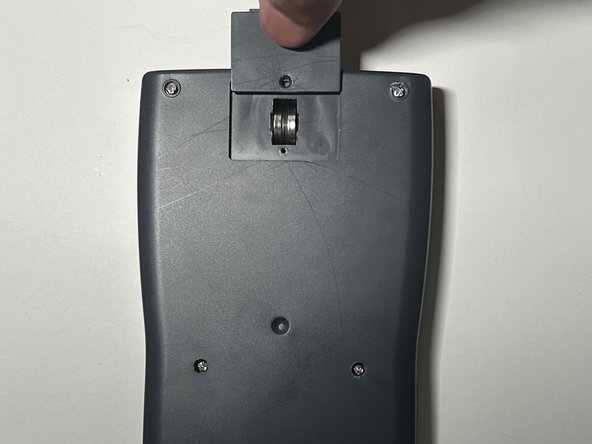
  3. How To Replace Merangue 2-Line Engineering Scientific Calculator Battery: adım 3, 3 resimden 1. How To Replace Merangue 2-Line Engineering Scientific Calculator Battery: adım 3, 3 resimden 2. How To Replace Merangue 2-Line Engineering Scientific Calculator Battery: adım 3, 3 resimden 3.
    • Gently apply pressure to the battery cover and slide it upward.

    • If it doesn't come off easily, try gently wiggling it but do not use excessive force.

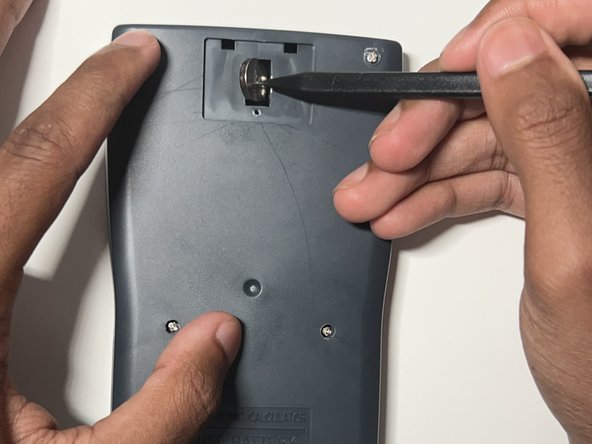
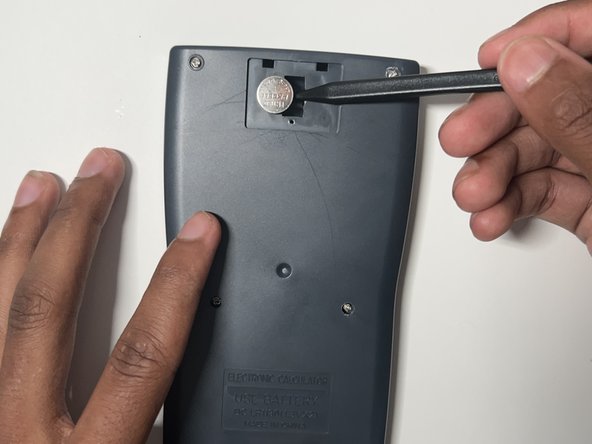
  4. How To Replace Merangue 2-Line Engineering Scientific Calculator Battery: adım 4, 3 resimden 1. How To Replace Merangue 2-Line Engineering Scientific Calculator Battery: adım 4, 3 resimden 2. How To Replace Merangue 2-Line Engineering Scientific Calculator Battery: adım 4, 3 resimden 3.
    • Insert a plastic spudger between the two batteries.

    • Use the plastic spudger to gently pry out the left and right batteries.

    • Do not use metal spudgers, as they can damage to the battery.

    • Do not use force when prying out the batteries to avoid damage.

  5. How To Replace Merangue 2-Line Engineering Scientific Calculator Battery: adım 5, 1 resimden 1.
    • Put on the nitrile gloves and remove the two batteries from the battery compartment.

    • To dispose of the battery properly consult the How to Recycle End-of-Life Electronics article.

    • Always wear a pair of gloves prior to handling the battery to reduce the risk of chemical burns.

  6. How To Replace Merangue 2-Line Engineering Scientific Calculator Battery: adım 6, 1 resimden 1.
    • Inspect the battery compartment for any sign of alkaline residue.

    • If the area is clean, skip to step 8.

  7. How To Replace Merangue 2-Line Engineering Scientific Calculator Battery: adım 7, 3 resimden 1. How To Replace Merangue 2-Line Engineering Scientific Calculator Battery: adım 7, 3 resimden 2. How To Replace Merangue 2-Line Engineering Scientific Calculator Battery: adım 7, 3 resimden 3.
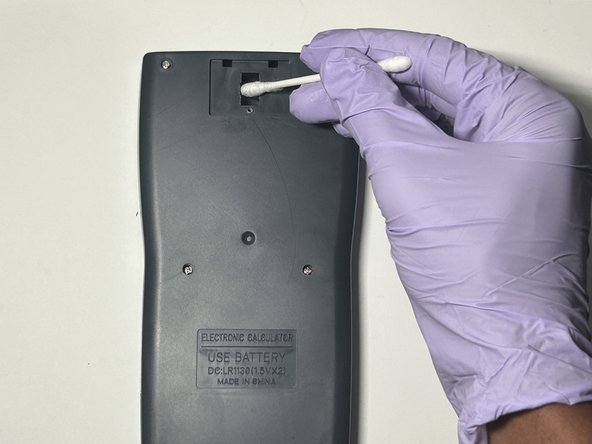
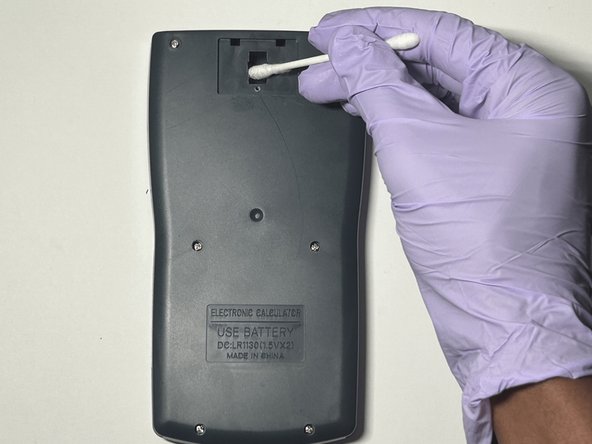
    • Dab a cotton swab in distilled white vinegar.

    • Gently clean the battery compartment in an up and down motion with the cotton swab.

    • Allow the compartment to dry completely for approximately two minutes before inserting the new batteries.

  8. How To Replace Merangue 2-Line Engineering Scientific Calculator Battery: adım 8, 1 resimden 1.
    • Insert the new LR 1130 batteries in both slots.

    • Make sure the + sign on the battery is facing down in its respective slot.

  9. How To Replace Merangue 2-Line Engineering Scientific Calculator Battery: adım 9, 3 resimden 1. How To Replace Merangue 2-Line Engineering Scientific Calculator Battery: adım 9, 3 resimden 2. How To Replace Merangue 2-Line Engineering Scientific Calculator Battery: adım 9, 3 resimden 3.
    • Slide the battery cover back into place.

    • Use a Phillips #0 screwdriver to secure the battery cover screw.

  10. How To Replace Merangue 2-Line Engineering Scientific Calculator Battery: adım 10, 1 resimden 1.
    • Reset the calculator by pressing the [ON] button.

    • Release the [ON] button and press [Shift].

    • Release the [Shift] button and press the [MODE] button.

    • Release the [MODE] button and press the [3] button to reset all.

    • Release the [3] button and press [=] to confirm the action.

    • Finally, release the [=] button and press the [AC] button to complete the reset.

Sonuç

You have now successfully replaced the battery of a Merangue 2-Line Engineering Scientific Calculator.

3 farklı kişi bu kılavuzu tamamladı.

Lakshan.14

Üyelik tarihi: 07/02/24

235 İtibar

1 Kılavuz yazıldı

0Kılavuz Yorumları

Yorum Ekle

İstatistikleri Görüntüle:

Son 24 Saat: 1

Son 7 gün: 4

Son 30 gün: 30

Her zaman: 432