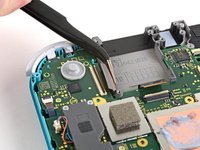
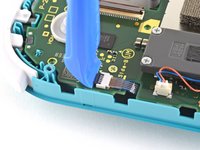
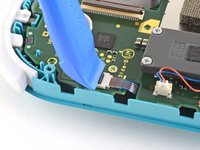
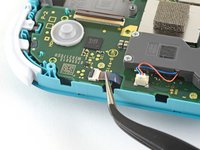
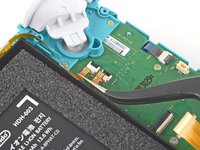
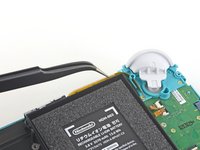
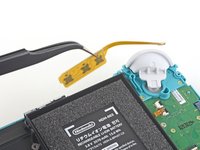
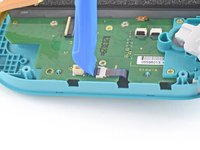
Ana içeriğe geç
Onarım Topluluğuna Katılın - Hesap Oluşturun

Nintendo Switch Lite LCD Replacement

Neye ihtiyacın var

  1. Nintendo Switch Lite LCD Replacement, Remove the back panel screws: adım 1, 1 resimden 1.
    Bu adımda kullanılan alet:
    Magnetic Project Mat
    $16.96
    • Before beginning this repair, make sure that the device is completely turned off.

    • Use a Y00 screwdriver to remove the four 6.3 mm-long screws securing the back panel.

    • Throughout this repair, keep track of each screw and make sure it goes back exactly where it came from.

    FixBot'a Sor

    Yorum Ekle

  2. Nintendo Switch Lite LCD Replacement, Remove the top and bottom back panel screws: adım 2, 2 resimden 1. Nintendo Switch Lite LCD Replacement, Remove the top and bottom back panel screws: adım 2, 2 resimden 2.
    • Use a JIS 000 driver or an iFixit PH 000 driver to remove the following screws securing the back panel:

    • Two 3.6 mm-long screws on the top of the device

    • Two 3.6 mm-long screws on the bottom of the device

    • To prevent these tight screws from stripping, apply firm downward force, work slowly and try a different screwdriver if the screws won't come out.

    FixBot'a Sor

    Yorum Ekle

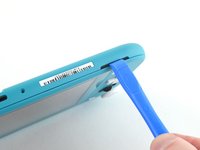
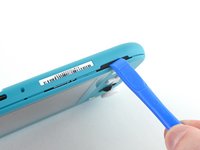
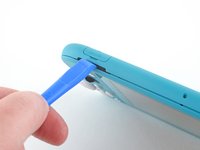
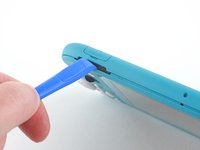
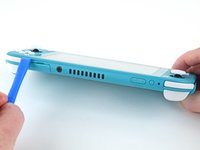
  3. Nintendo Switch Lite LCD Replacement, Release the clips securing the back panel: adım 3, 2 resimden 1. Nintendo Switch Lite LCD Replacement, Release the clips securing the back panel: adım 3, 2 resimden 2.
    • Insert an opening tool into the left speaker grille on the bottom of the device.

    • Twist the opening tool to release the clips securing the back panel.

    • Avoid inserting the opening tool further than required to prevent damage to the speaker module.

    FixBot'a Sor

    Yorum Ekle

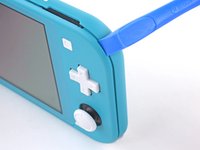
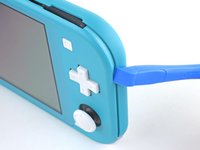
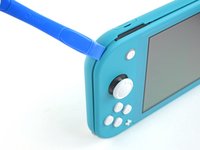
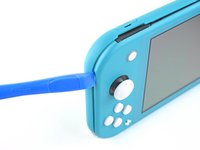
  4. Nintendo Switch Lite LCD Replacement, Continue releasing the clips around the device: adım 4, 2 resimden 1. Nintendo Switch Lite LCD Replacement, Continue releasing the clips around the device: adım 4, 2 resimden 2.
    • Slide the opening tool around the bottom-left corner to release the clips on the left side of the device.

    FixBot'a Sor

    Yorum Ekle

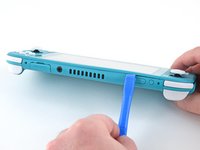
  5. Nintendo Switch Lite LCD Replacement, Twist to release the clips: adım 5, 2 resimden 1. Nintendo Switch Lite LCD Replacement, Twist to release the clips: adım 5, 2 resimden 2.
    • Insert an opening tool into the right speaker grille on the bottom of the device.

    • Twist the opening tool to release the clips.

    • Avoid inserting the opening tool further than required to prevent damage to the speaker module.

    FixBot'a Sor

    Yorum Ekle

  6. Nintendo Switch Lite LCD Replacement, Slide and pry around the corners: adım 6, 2 resimden 1. Nintendo Switch Lite LCD Replacement, Slide and pry around the corners: adım 6, 2 resimden 2.
    • Slide and pry the opening tool around the bottom-right corner to release the clips on the right side of the device.

    FixBot'a Sor

    Yorum Ekle

  7. Nintendo Switch Lite LCD Replacement: adım 7, 2 resimden 1. Nintendo Switch Lite LCD Replacement: adım 7, 2 resimden 2.
    • Continue sliding and prying the opening tool along the gap on the top of the device to release the clips.

    FixBot'a Sor

    Yorum Ekle

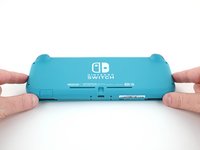
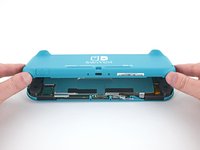
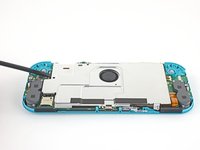
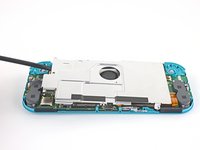
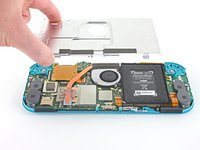
  8. Nintendo Switch Lite LCD Replacement, Remove the back panel: adım 8, 3 resimden 1. Nintendo Switch Lite LCD Replacement, Remove the back panel: adım 8, 3 resimden 2. Nintendo Switch Lite LCD Replacement, Remove the back panel: adım 8, 3 resimden 3.
    • Lift the bottom edge of the back panel, opening it like a book.

    • Remove the back panel.

    FixBot'a Sor

    Yorum Ekle

  9. Nintendo Switch Lite LCD Replacement, Remove the shield plate: adım 9, 1 resimden 1.
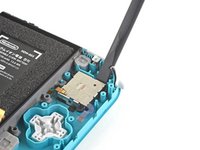
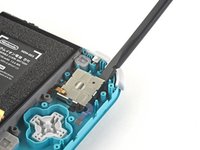
    • Use a JIS 000 driver or an iFixit PH 000 driver to remove the four screws securing the shield plate:

    • Three 3.1 mm screws

    • One 4.5 mm screw

    FixBot'a Sor

    Yorum Ekle

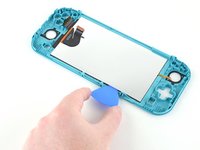
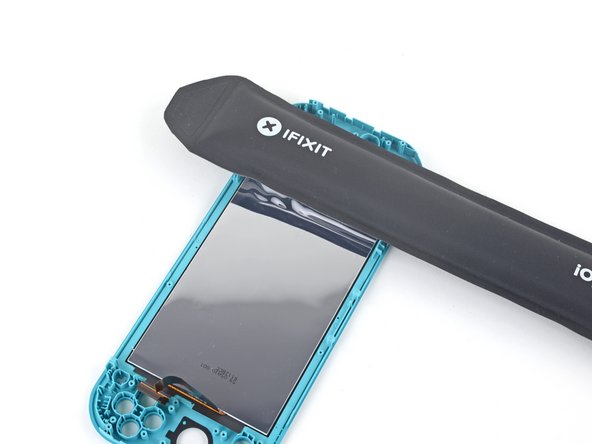
  10. Nintendo Switch Lite LCD Replacement: adım 10, 3 resimden 1. Nintendo Switch Lite LCD Replacement: adım 10, 3 resimden 2. Nintendo Switch Lite LCD Replacement: adım 10, 3 resimden 3.
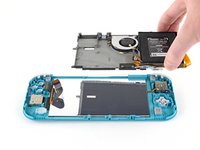
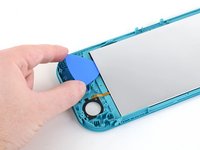
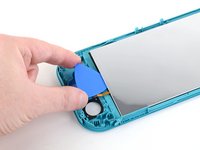
    • Use a spudger or your fingers to lift the shield plate up and out of the device.

    • You may feel a bit of resistance. This is normal, since the shield plate is slightly bonded to the heat sink with thermal paste.

    • Remove the shield plate.

    • Clean off the old thermal paste from the shield plate and heat sink using isopropyl alcohol and a microfiber cloth. Apply new thermal paste to the heat sink before reassembly.

    FixBot'a Sor

    Yorum Ekle

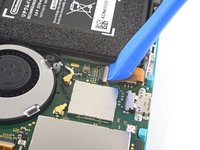
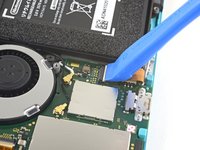
  11. Nintendo Switch Lite LCD Replacement, Disconnect the interconnect cable: adım 11, 2 resimden 1. Nintendo Switch Lite LCD Replacement, Disconnect the interconnect cable: adım 11, 2 resimden 2.
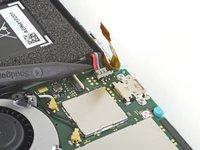
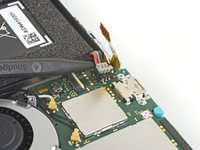
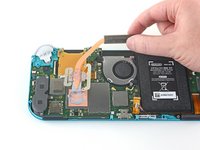
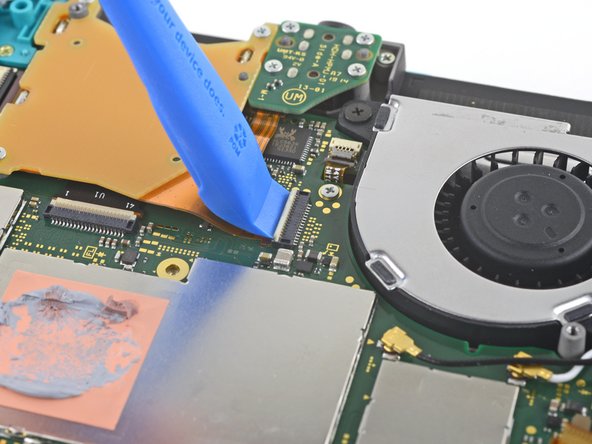
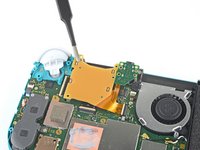
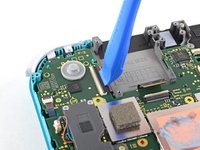
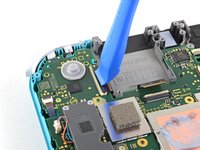
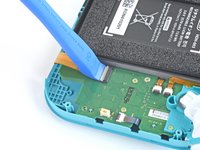
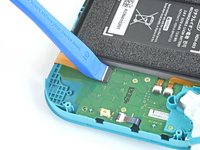
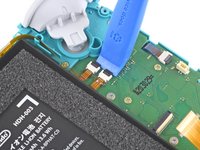
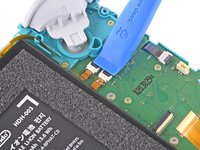
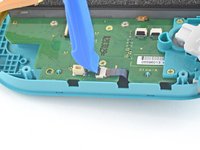
    • Use an opening tool or your fingernail to flip up the small, hinged locking flap on the motherboard interconnect cable's ZIF connector.

    FixBot'a Sor

    Yorum Ekle

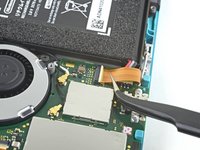
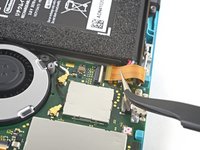
  12. Nintendo Switch Lite LCD Replacement: adım 12, 2 resimden 1. Nintendo Switch Lite LCD Replacement: adım 12, 2 resimden 2.
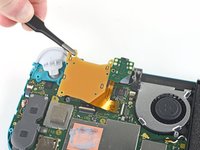
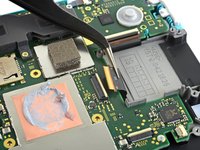
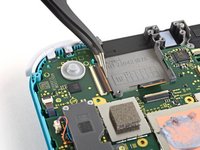
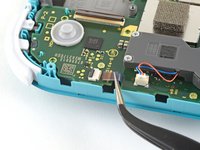
    • Do Not Use Metal Tweezers! Some fixers state that metallic tweezers can short circuit the ribbon cable/connector. It might be safer to just use nylon-tipped or ceramic-tipped tweezers.

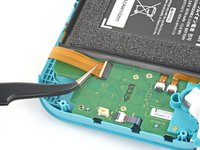
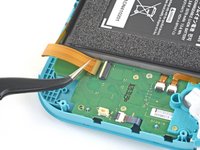
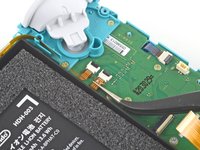
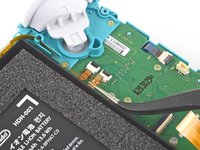
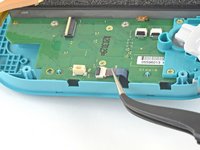
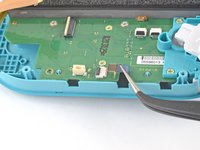
    • Use a pair of tweezers to slide the interconnect cable out of its connector on the motherboard.

    FixBot'a Sor

    Yorum Ekle

  13. Nintendo Switch Lite LCD Replacement, Disconnect the battery: adım 13, 2 resimden 1. Nintendo Switch Lite LCD Replacement, Disconnect the battery: adım 13, 2 resimden 2.
    • Use the point of a spudger to pry the battery connector straight up and out of its socket on the motherboard.

    • During reassembly, wait until after you connect the interconnect cable (above) before connecting the battery.

    FixBot'a Sor

    Yorum Ekle

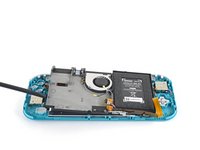
  14. Nintendo Switch Lite LCD Replacement, Remove the heat sink: adım 14, 1 resimden 1.
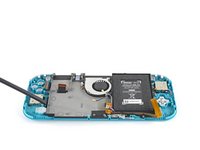
    • Use the flat end of a spudger or your fingers to carefully peel up the foam that's lightly adhered to the fan.

    • The foam only needs to be peeled back enough to clear the fan.

    FixBot'a Sor

    Yorum Ekle

  15. Nintendo Switch Lite LCD Replacement: adım 15, 1 resimden 1.
    • Use a JIS 000 driver or an iFixit PH 000 driver to remove the three 3 mm screws securing the heat sink to the motherboard.

    FixBot'a Sor

    Yorum Ekle

  16. Nintendo Switch Lite LCD Replacement: adım 16, 3 resimden 1. Nintendo Switch Lite LCD Replacement: adım 16, 3 resimden 2. Nintendo Switch Lite LCD Replacement: adım 16, 3 resimden 3.
    • Use a spudger or your fingers to lift the heatsink up and off of the motherboard to remove it.

    • You may feel a bit of resistance. This is normal, since the heat sink is slightly bonded to the CPU with thermal paste.

    • Clean off the old thermal paste from the heat sink and CPU using isopropyl alcohol and a microfiber cloth. Apply new thermal paste to the CPU before reassembly.

    FixBot'a Sor

    Yorum Ekle

  17. Nintendo Switch Lite LCD Replacement, Remove the game card reader and headphone jack: adım 17, 2 resimden 1. Nintendo Switch Lite LCD Replacement, Remove the game card reader and headphone jack: adım 17, 2 resimden 2.
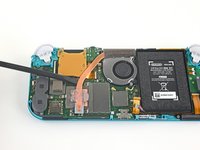
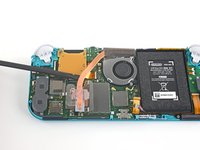
    • Use an opening tool or your fingernail to flip up the small, hinged locking flap on the game card reader cable's ZIF connector.

    FixBot'a Sor

    Yorum Ekle

  18. Nintendo Switch Lite LCD Replacement: adım 18, 1 resimden 1.
    • Use a JIS 000 driver or an iFixit PH 000 driver to remove the seven 3.1 mm screws securing the game card reader and headphone jack.

    FixBot'a Sor

    Yorum Ekle

  19. Nintendo Switch Lite LCD Replacement: adım 19, 3 resimden 1. Nintendo Switch Lite LCD Replacement: adım 19, 3 resimden 2. Nintendo Switch Lite LCD Replacement: adım 19, 3 resimden 3.
    Bu adımda kullanılan alet:
    Tweezers
    $4.99
    • Use a pair of tweezers or your fingers to carefully lift the game card reader and maneuver it to the left to slide the cable out of its connector.

    • Remove the game card reader and headphone jack.

    FixBot'a Sor

    Yorum Ekle

  20. Nintendo Switch Lite LCD Replacement, Remove the right trigger button assembly: adım 20, 1 resimden 1.
    • Use a JIS 000 driver or an iFixit PH 000 driver to remove the two 4.5 mm screws securing the right trigger button assembly to the motherboard.

    FixBot'a Sor

    Yorum Ekle

  21. Nintendo Switch Lite LCD Replacement: adım 21, 2 resimden 1. Nintendo Switch Lite LCD Replacement: adım 21, 2 resimden 2.
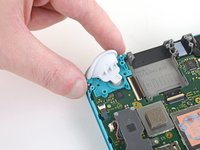
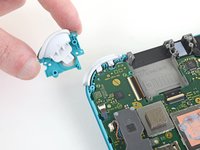
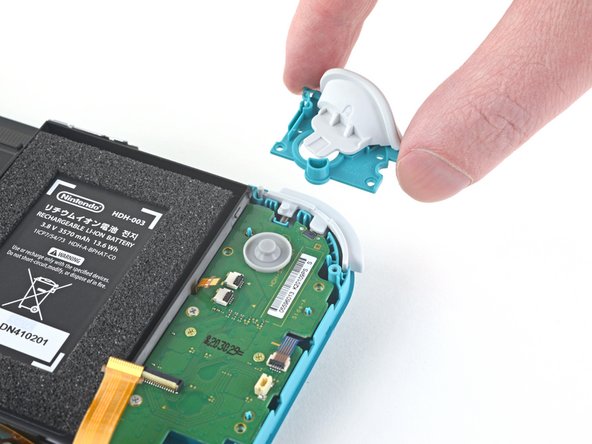
    • Remove the right trigger button assembly.

    FixBot'a Sor

    Yorum Ekle

  22. Nintendo Switch Lite LCD Replacement: adım 22, 2 resimden 1. Nintendo Switch Lite LCD Replacement: adım 22, 2 resimden 2.
    Bu adımda kullanılan alet:
    Tweezers
    $4.99
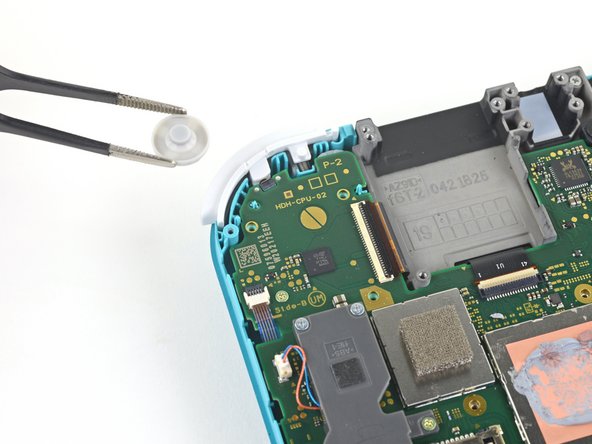
    • Use a pair of tweezers or your fingers to remove the right trigger button assembly's rubber pad if it didn't stay attached to the button assembly.

    FixBot'a Sor

    Yorum Ekle

  23. Nintendo Switch Lite LCD Replacement, Disconnect the antenna cables: adım 23, 3 resimden 1. Nintendo Switch Lite LCD Replacement, Disconnect the antenna cables: adım 23, 3 resimden 2. Nintendo Switch Lite LCD Replacement, Disconnect the antenna cables: adım 23, 3 resimden 3.
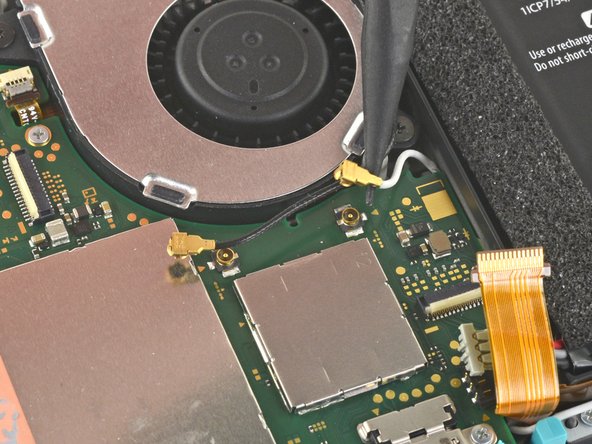
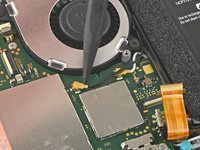
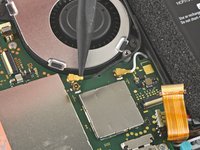
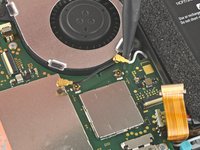
    • Use the point of a spudger to pry the black antenna cable coaxial connector straight up off its socket on the motherboard.

    • Repeat the same process for the white antenna cable.

    FixBot'a Sor

    Yorum Ekle

  24. Nintendo Switch Lite LCD Replacement, Disconnect the fan cable: adım 24, 1 resimden 1.
    • Use an opening tool or your fingernail to flip up the small, hinged locking flap on the fan cable's ZIF connector.

    FixBot'a Sor

    Yorum Ekle

  25. Nintendo Switch Lite LCD Replacement: adım 25, 2 resimden 1. Nintendo Switch Lite LCD Replacement: adım 25, 2 resimden 2.
    • Use a pair of tweezers to slide out the fan cable from its connector on the motherboard.

    FixBot'a Sor

    Yorum Ekle

  26. Nintendo Switch Lite LCD Replacement, Disconnect the screen cable: adım 26, 2 resimden 1. Nintendo Switch Lite LCD Replacement, Disconnect the screen cable: adım 26, 2 resimden 2.
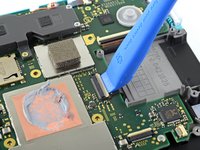
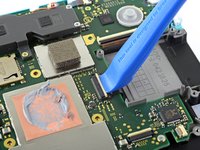
    • Use an opening tool or your fingernail to flip up the small, hinged locking flap on the screen cable's ZIF connector.

    FixBot'a Sor

    Yorum Ekle

  27. Nintendo Switch Lite LCD Replacement: adım 27, 2 resimden 1. Nintendo Switch Lite LCD Replacement: adım 27, 2 resimden 2.
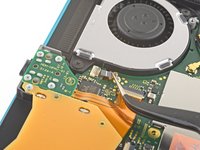
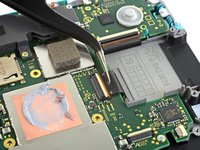
    • Use a pair of tweezers to slide the screen cable out of its connector on the motherboard.

    FixBot'a Sor

    Yorum Ekle

  28. Nintendo Switch Lite LCD Replacement, Disconnect the digitizer cable: adım 28, 2 resimden 1. Nintendo Switch Lite LCD Replacement, Disconnect the digitizer cable: adım 28, 2 resimden 2.
    • Use an opening tool or your fingernail to flip up the small, hinged locking flap on the digitizer cable's ZIF connector.

    FixBot'a Sor

    Yorum Ekle

  29. Nintendo Switch Lite LCD Replacement: adım 29, 2 resimden 1. Nintendo Switch Lite LCD Replacement: adım 29, 2 resimden 2.
    • Use a pair of tweezers to slide the digitizer cable out of its connector on the motherboard.

    FixBot'a Sor

    Yorum Ekle

  30. Nintendo Switch Lite LCD Replacement, Disconnect the right joystick cable: adım 30, 2 resimden 1. Nintendo Switch Lite LCD Replacement, Disconnect the right joystick cable: adım 30, 2 resimden 2.
    • Use an opening tool or your fingernail to flip up the small, hinged locking flap on the right joystick cable's ZIF connector.

    FixBot'a Sor

    Yorum Ekle

  31. Nintendo Switch Lite LCD Replacement: adım 31, 2 resimden 1. Nintendo Switch Lite LCD Replacement: adım 31, 2 resimden 2.
    • Use a pair of tweezers to slide the right joystick cable out of its connector on the motherboard.

    FixBot'a Sor

    Yorum Ekle

  32. Nintendo Switch Lite LCD Replacement, Remove the motherboard assembly: adım 32, 1 resimden 1.
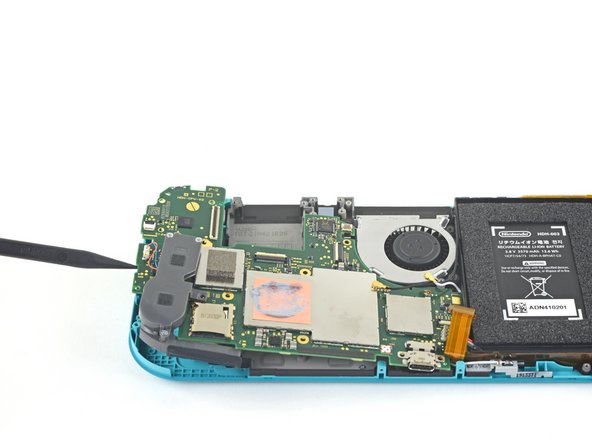
    • Use a JIS 000 driver or an iFixit PH 000 driver to remove the following six screws securing the motherboard:

    • Three 3.1 mm screws

    • Three 4.5 mm screws

    FixBot'a Sor

    Yorum Ekle

  33. Nintendo Switch Lite LCD Replacement: adım 33, 3 resimden 1. Nintendo Switch Lite LCD Replacement: adım 33, 3 resimden 2. Nintendo Switch Lite LCD Replacement: adım 33, 3 resimden 3.
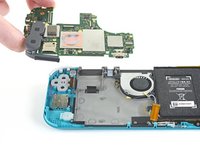
    • Insert a spudger in the gap between the frame and the motherboard and lift the motherboard up and out of its recess.

    • Remove the motherboard assembly.

    FixBot'a Sor

    Yorum Ekle

  34. Nintendo Switch Lite LCD Replacement, Remove the right joystick: adım 34, 1 resimden 1.
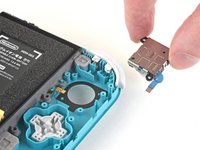
    • Use a JIS 000 driver or an iFixit PH 000 driver to remove the two 3.5 mm screws securing the joystick.

    FixBot'a Sor

    Yorum Ekle

  35. Nintendo Switch Lite LCD Replacement: adım 35, 2 resimden 1. Nintendo Switch Lite LCD Replacement: adım 35, 2 resimden 2.
    • Use your fingers to remove the joystick.

    • There is a thin black gasket around the hole where the joystick pokes through the frame. Try not to disturb this gasket as you remove the joystick.

    FixBot'a Sor

    Yorum Ekle

  36. Nintendo Switch Lite LCD Replacement, Remove the left speaker module: adım 36, 2 resimden 1. Nintendo Switch Lite LCD Replacement, Remove the left speaker module: adım 36, 2 resimden 2.
    Bu adımda kullanılan alet:
    Tweezers
    $4.99
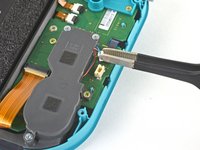
    • Use a pair of tweezers or your fingers to pull the left speaker cable straight up and out of its socket on the daughterboard.

    • Do not pull from the wires, or else you risk ripping the wires off the connector.

    FixBot'a Sor

    Yorum Ekle

  37. Nintendo Switch Lite LCD Replacement: adım 37, 1 resimden 1.
    • Use a JIS 000 driver or an iFixit PH 000 driver to remove the 4.5 mm screw securing the left speaker module.

    FixBot'a Sor

    Yorum Ekle

  38. Nintendo Switch Lite LCD Replacement: adım 38, 3 resimden 1. Nintendo Switch Lite LCD Replacement: adım 38, 3 resimden 2. Nintendo Switch Lite LCD Replacement: adım 38, 3 resimden 3.
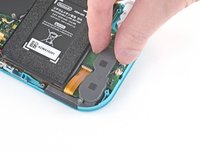
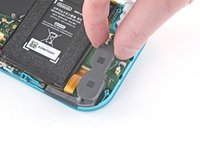
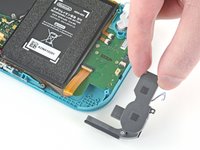
    • Use your fingers to lift the speaker module up and out of its recess to remove it.

    • Part of the speaker module sits underneath a delicate ribbon cable. Take care not to snag the speaker module on the cable as you remove it.

    FixBot'a Sor

    Yorum Ekle

  39. Nintendo Switch Lite LCD Replacement, Disconnect the motherboard interconnect cable: adım 39, 2 resimden 1. Nintendo Switch Lite LCD Replacement, Disconnect the motherboard interconnect cable: adım 39, 2 resimden 2.
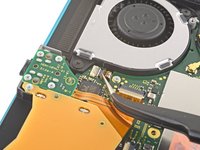
    • Use an opening tool or your fingernail to flip up the small, hinged locking flap on the motherboard interconnect cable's ZIF connector.

    FixBot'a Sor

    Yorum Ekle

  40. Nintendo Switch Lite LCD Replacement: adım 40, 2 resimden 1. Nintendo Switch Lite LCD Replacement: adım 40, 2 resimden 2.
    • Use a pair of tweezers to slide the motherboard interconnect cable out of its connector on the daughterboard.

    FixBot'a Sor

    Yorum Ekle

  41. Nintendo Switch Lite LCD Replacement, Disconnect the screen and volume button cables: adım 41, 2 resimden 1. Nintendo Switch Lite LCD Replacement, Disconnect the screen and volume button cables: adım 41, 2 resimden 2.
    • Use an opening tool or your fingernail to flip up the small, hinged locking flaps on the two ribbon cable ZIF connectors.

    FixBot'a Sor

    Yorum Ekle

  42. Nintendo Switch Lite LCD Replacement: adım 42, 3 resimden 1. Nintendo Switch Lite LCD Replacement: adım 42, 3 resimden 2. Nintendo Switch Lite LCD Replacement: adım 42, 3 resimden 3.
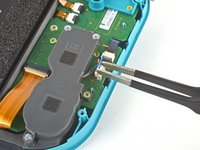
    • Use a pair of tweezers to slide the daughterboard screen cable out of its connector on the motherboard.

    • Repeat this procedure for the volume buttons cable.

    FixBot'a Sor

    Yorum Ekle

  43. Nintendo Switch Lite LCD Replacement, Remove the volume buttons: adım 43, 2 resimden 1. Nintendo Switch Lite LCD Replacement, Remove the volume buttons: adım 43, 2 resimden 2.
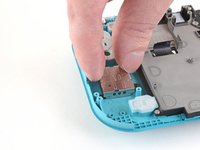
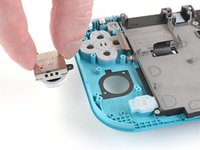
    • Use a pair of tweezers or your fingers to remove the volume buttons.

    FixBot'a Sor

    Yorum Ekle

  44. Nintendo Switch Lite LCD Replacement, Disconnect the joystick cable: adım 44, 2 resimden 1. Nintendo Switch Lite LCD Replacement, Disconnect the joystick cable: adım 44, 2 resimden 2.
    • Use an opening tool or your fingernail to flip up the small, hinged locking flap on the left joystick cable's ZIF connector.

    FixBot'a Sor

    Yorum Ekle

  45. Nintendo Switch Lite LCD Replacement: adım 45, 2 resimden 1. Nintendo Switch Lite LCD Replacement: adım 45, 2 resimden 2.
    • Use a pair of tweezers to slide the left joystick cable out of its connector on the daughterboard.

    FixBot'a Sor

    Yorum Ekle

  46. Nintendo Switch Lite LCD Replacement, Remove the left trigger button assembly: adım 46, 1 resimden 1.
    • Use a JIS 000 driver or an iFixit PH 000 driver to remove the two 4.5 mm screws securing the left trigger button assembly.

    FixBot'a Sor

    Yorum Ekle

  47. Nintendo Switch Lite LCD Replacement: adım 47, 2 resimden 1. Nintendo Switch Lite LCD Replacement: adım 47, 2 resimden 2.
    • Remove the left trigger button assembly.

    FixBot'a Sor

    Yorum Ekle

  48. Nintendo Switch Lite LCD Replacement, Remove the daughterboard: adım 48, 1 resimden 1.
    • Use a JIS 000 driver or an iFixit PH 000 driver to remove the following four screws:

    • Two 4.5 mm screws

    • Two 6 mm screws

    FixBot'a Sor

    Yorum Ekle

  49. Nintendo Switch Lite LCD Replacement: adım 49, 2 resimden 1. Nintendo Switch Lite LCD Replacement: adım 49, 2 resimden 2.
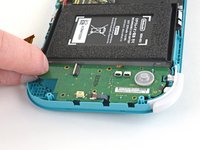
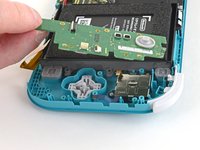
    • Use your fingers to lift the daughterboard up and out of its recess to remove it.

    FixBot'a Sor

    Yorum Ekle

  50. Nintendo Switch Lite LCD Replacement, Remove the left joystick: adım 50, 1 resimden 1.
    • Use a JIS 000 driver or an iFixit PH 000 driver to remove the two 3.5 mm screws securing the left joystick.

    FixBot'a Sor

    Yorum Ekle

  51. Nintendo Switch Lite LCD Replacement: adım 51, 3 resimden 1. Nintendo Switch Lite LCD Replacement: adım 51, 3 resimden 2. Nintendo Switch Lite LCD Replacement: adım 51, 3 resimden 3.
    • Use the flat end of a spudger to lift the joystick up and out of its recess.

    • Use your fingers to remove the joystick.

    • There is a thin black gasket around the hole where the joystick pokes through the frame. Try not to disturb this gasket as you remove the joystick.

    FixBot'a Sor

    Yorum Ekle

  52. Nintendo Switch Lite LCD Replacement, Remove the midframe assembly: adım 52, 1 resimden 1.
    • Use a JIS 000 driver or an official iFixit PH 000 driver to remove the following four screws:

    • Three 2.5 mm screws

    • One 6 mm screw

    FixBot'a Sor

    Yorum Ekle

  53. Nintendo Switch Lite LCD Replacement: adım 53, 3 resimden 1. Nintendo Switch Lite LCD Replacement: adım 53, 3 resimden 2. Nintendo Switch Lite LCD Replacement: adım 53, 3 resimden 3.
    • Use a spudger or your fingers to lift the midframe assembly up and out of its recess.

    • Remove the midframe assembly.

    FixBot'a Sor

    Yorum Ekle

  54. Nintendo Switch Lite LCD Replacement, Remove the buttons: adım 54, 2 resimden 1. Nintendo Switch Lite LCD Replacement, Remove the buttons: adım 54, 2 resimden 2.
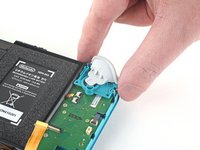
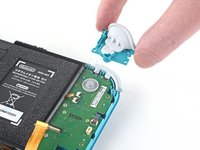
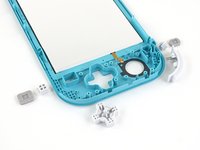
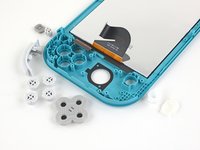
    • At this point in the repair, remove all of the buttons if you haven't done so already, to prevent them from falling out and getting lost.

    • Use these two photos for reference.

    FixBot'a Sor

    Yorum Ekle

  55. Nintendo Switch Lite LCD Replacement, Remove the LCD: adım 55, 1 resimden 1.
    • Heat an iOpener and apply it to the back side of the LCD along the top edge for 2 minutes.

    • A hair dryer or heat gun may also be used, but be careful not to overheat the LCD if you plan on reusing it, as it's susceptible to heat damage.

    FixBot'a Sor

    Yorum Ekle

  56. Nintendo Switch Lite LCD Replacement: adım 56, 2 resimden 1. Nintendo Switch Lite LCD Replacement: adım 56, 2 resimden 2.
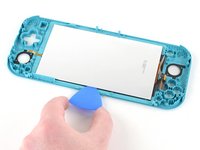
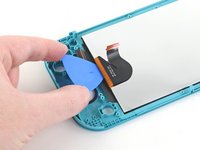
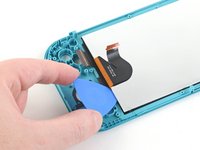
    • Insert an opening pick between the frame and the top edge of the LCD to begin separating the two components.

    • Make sure to insert the pick completely under the LCD panel so you don't split and damage it.

    • You'll know you're splitting the panel if the silver backing bubbles and separates from the white lining.

    FixBot'a Sor

    Yorum Ekle

  57. Nintendo Switch Lite LCD Replacement: adım 57, 3 resimden 1. Nintendo Switch Lite LCD Replacement: adım 57, 3 resimden 2. Nintendo Switch Lite LCD Replacement: adım 57, 3 resimden 3.
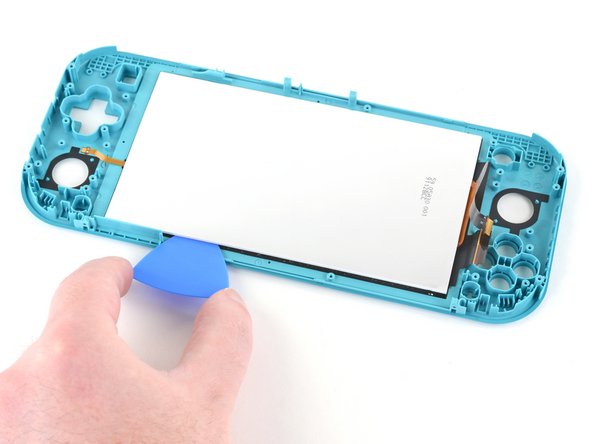
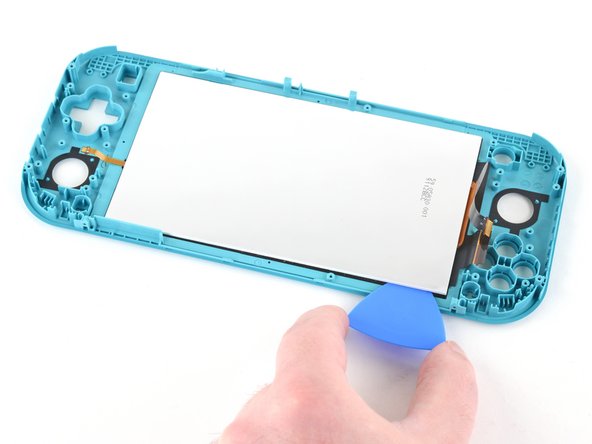
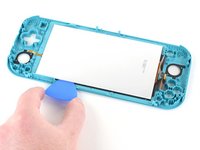
    • Slide the opening pick along the top edge of the LCD to slice the adhesive.

    FixBot'a Sor

    Yorum Ekle

  58. Nintendo Switch Lite LCD Replacement: adım 58, 1 resimden 1.
    • Apply a heated iOpener to the back side of the LCD along the right edge for 2 minutes.

    FixBot'a Sor

    Yorum Ekle

  59. Nintendo Switch Lite LCD Replacement: adım 59, 3 resimden 1. Nintendo Switch Lite LCD Replacement: adım 59, 3 resimden 2. Nintendo Switch Lite LCD Replacement: adım 59, 3 resimden 3.
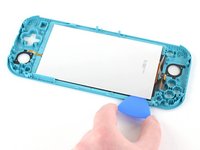
    • Continue sliding the opening pick around the right edge of the LCD, slicing the adhesive.

    • The LCD and digitizer cables are placed in a way to prevent them from easily snagging on the opening pick, but still use caution when sliding the opening pick along the gap.

    FixBot'a Sor

    Yorum Ekle

  60. Nintendo Switch Lite LCD Replacement: adım 60, 1 resimden 1.
    • Apply a heated iOpener to the back side of the LCD along the bottom edge for 2 minutes.

    FixBot'a Sor

    Yorum Ekle

  61. Nintendo Switch Lite LCD Replacement: adım 61, 3 resimden 1. Nintendo Switch Lite LCD Replacement: adım 61, 3 resimden 2. Nintendo Switch Lite LCD Replacement: adım 61, 3 resimden 3.
    • Continue sliding the opening pick along the bottom edge of the LCD to slice the adhesive.

    • You'll need to remove and reinsert the opening pick at various points along the LCD's edge to work around the frame.

    FixBot'a Sor

    Yorum Ekle

  62. Nintendo Switch Lite LCD Replacement: adım 62, 1 resimden 1.
    • Apply a heated iOpener to the back side of the LCD along the left edge for 2 minutes.

    FixBot'a Sor

    Yorum Ekle

  63. Nintendo Switch Lite LCD Replacement: adım 63, 2 resimden 1. Nintendo Switch Lite LCD Replacement: adım 63, 2 resimden 2.
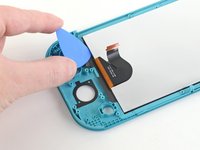
    • Continue sliding the opening pick along the left edge of the LCD to slice the adhesive.

    • Take care not to snag the LCD's daughterboard cable on the opening pick.

    FixBot'a Sor

    Yorum Ekle

  64. Nintendo Switch Lite LCD Replacement: adım 64, 3 resimden 1. Nintendo Switch Lite LCD Replacement: adım 64, 3 resimden 2. Nintendo Switch Lite LCD Replacement: adım 64, 3 resimden 3.
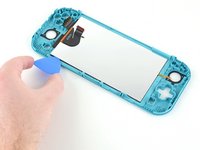
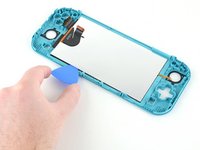
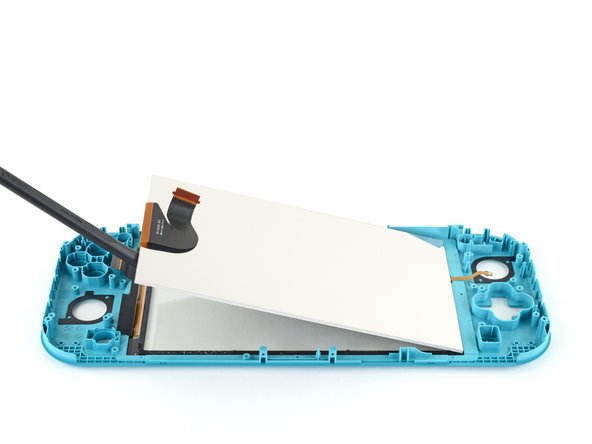
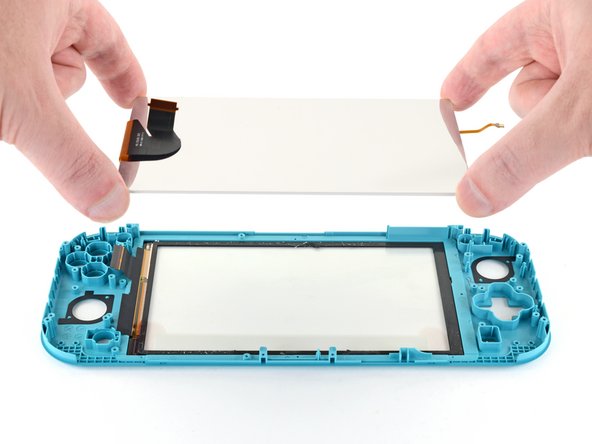
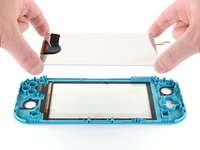
    • Use the flat end of a spudger or your fingers to lift the LCD up and out of the frame to remove it.

    • If you're reusing the LCD (or your new LCD does not come with pre‑installed adhesive), follow this guide to install pre-cut adhesive around the perimeter before reassembly.

    FixBot'a Sor

    Yorum Ekle

  65. Nintendo Switch Lite LCD Replacement: adım 65, 3 resimden 1. Nintendo Switch Lite LCD Replacement: adım 65, 3 resimden 2. Nintendo Switch Lite LCD Replacement: adım 65, 3 resimden 3.
    Bu adımda kullanılan alet:
    Microfiber Cleaning Cloths
    $3.99
    • If you're also replacing the digitizer, you can skip this step.

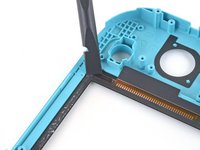
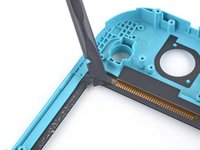
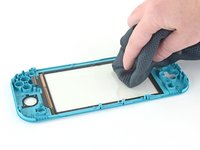
    • Use the flat end of a spudger to scrape off the remaining adhesive around the perimeter of the digitizer.

    • Prior to installing a new LCD, use isopropyl alcohol and a microfiber cloth to clean and remove any residual adhesive from the back side of the digitizer. Wait several minutes for any remaining alcohol to evaporate before installing the LCD.

    FixBot'a Sor

    Yorum Ekle

Sonuç

To reassemble your device, follow these instructions in reverse order.

Take your e-waste to an R2 or e-Stewards certified recycler.

Repair didn’t go as planned? Try some basic troubleshooting, or ask our Nintendo Switch Lite Answers community for help.

İptal et: Bu kılavuzu tamamlamadım.

61 farklı kişi bu kılavuzu tamamladı.

Craig Lloyd

Üyelik tarihi: 02/10/16

42.842 İtibar

82 adet Kılavuz yazıldı

24Kılavuz Yorumları

Followed the guide to replaced a cracked screen on a Switch Lite, all good, guide was easy to follow and refitting wasn't too hard either, just a reversal of the disassembly

Luke Randall - Yanıt Paylaş

Fantastic guide, exactly what I was looking for! Unfortunately I managed to make the tape unusable and I need tape to connect the lcd to the digitizer and the digitizer to the case. I will likely use 2-3mm tape for the lcd to digitizer but I'm unsure what to use to connect the digitizer to the case. Any suggestions?

Sam Red - Yanıt Paylaş

Thanks for taking the time to type this up. Really appreciate the effort that went in to this guide.

Matthew D. H. - Yanıt Paylaş
Great guide, I wish it would mention some of the procedures to tape the screen back in. After that, reversing the process was easy.

Stephen Hotchkiss - Yanıt Paylaş
For gluing the screen and digitizer back in, I would strongly recommend liquid glue, like Zhanlida T-8000 for example. You can apply it very precisely and you can also correct/remove it if needed pretty easily. I used this stuff to repair around 200 phones and tablets in the last couple of years and were never disappointed.

Also I would remove the digitizer AND the screen together, before removing the screen first from the digitizer… This will make the process of removing the screen from the digitizer a lot easier and safer.

I have ordered a crystal replacement case and a used lite with a scratched digitizer.. Have glued in the replacement digitizer so far, the console should arrive tomorrow.

Gluing in the digitizer was a breeze, just applied some glue all around (be careful not to use too much) and then just pressed down the digitizer all around and put a book on the top… Let the glue harden for around 24 hours and you are good to go.

Will leave some feedback how the screen removal went tomorrow. ;)

mathiasludewig - Yanıt Paylaş
Yorum Ekle

İstatistikleri Görüntüle:

Son 24 Saat: 90

Son 7 gün: 684

Son 30 gün: 2,787

Her zaman: 210,229